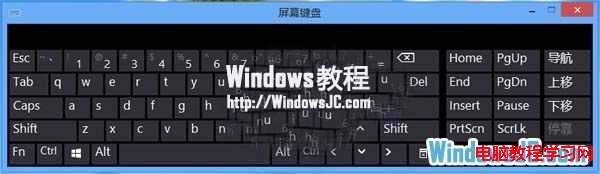
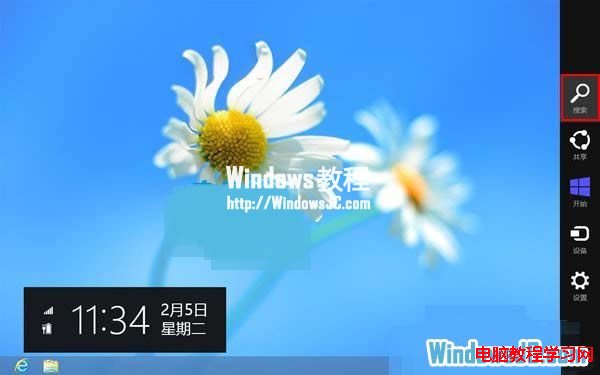
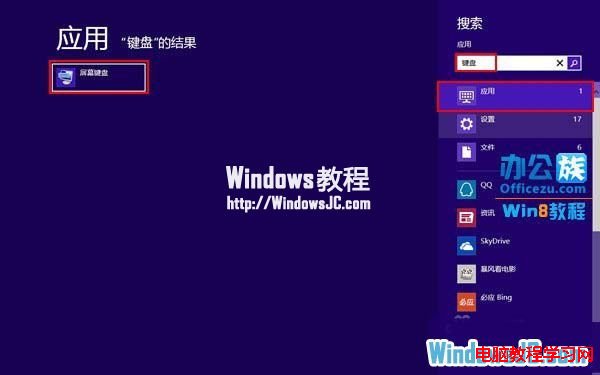
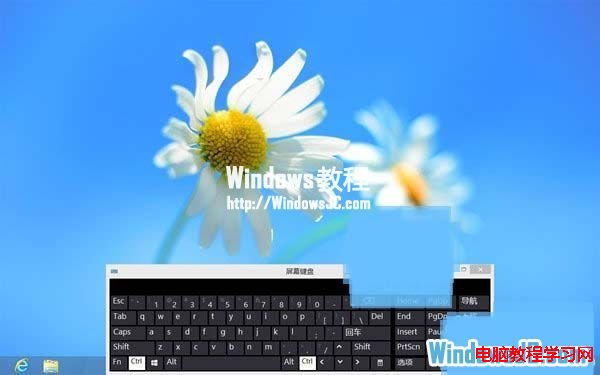
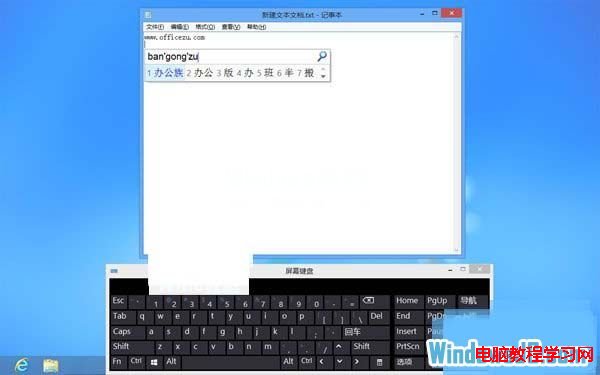
當鍵盤按鍵失靈或損壞,急需輸入文字時,可使用 Windows 8 內建螢幕鍵盤應急。啟用後以滑鼠點擊螢幕按鍵即可輸入,以下體驗操作流程。
Windows Server 2008 實用優化五大技巧:關機事件、硬體加速、Aero、IE ESC、桌面體驗
Win10 Windows Defender 無法開啟?檢查服務路徑或管理員命令提示字元執行 sc start WinDefend Enable
Win8/8.1 檔案總管(資源管理器)頻繁停止運作?可靠性監視器與服務檢查完整解決方案
Win10 9926 啟用 IE11 內建 Spartan Edge 引擎教學:about:flags 開啟實驗性 Web 平台功能
Windows 10 系統需求公布:1GB 記憶體即可升級,十年前老電腦也能跑