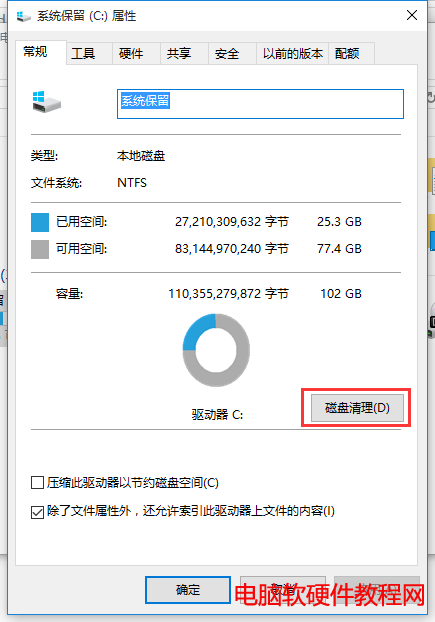
Win7 升級 Win10 會保留 Windows.old (約 10-20GB) 供 30 天內回滾。確定不回滾後,用「磁碟清理」移除可釋放大量空間。
清理步驟
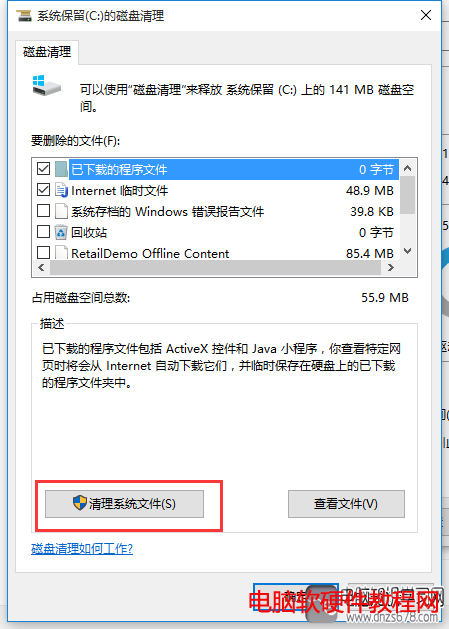
- 「此電腦」→ C 槽右鍵「內容」→「磁碟清理」。
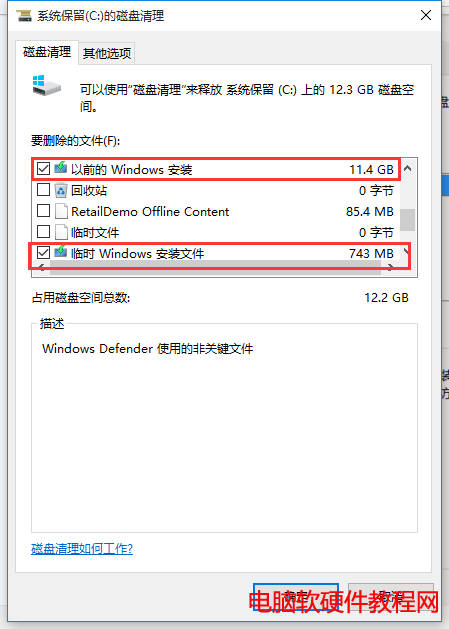
- 「清理系統檔案」→ 掃描完成後勾選:
• 以前的 Windows 安裝 (Windows.old)
• 暫時 Windows 安裝檔案
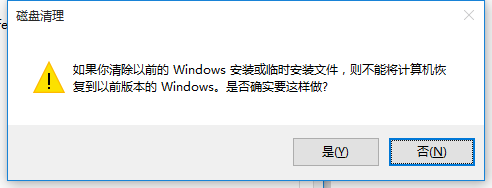
- 確定 → 「刪除檔案」確認 → 完成 (不可回滾至 Win7)。
補充說明
- Win10 採數位授權綁定硬體,重裝同版本 Win10 會自動啟動 (無需輸入金鑰)。
- 360 Win10 升級助手新增「系統盤瘦身」功能,可一鍵清理同類垃圾檔案,解決升級空間不足問題。
- 升級報告顯示:32.44% 失敗主因是系統盤空間不足,瘦身功能極具實用價值。
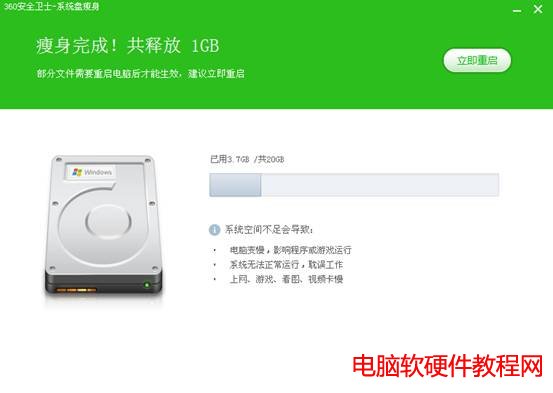
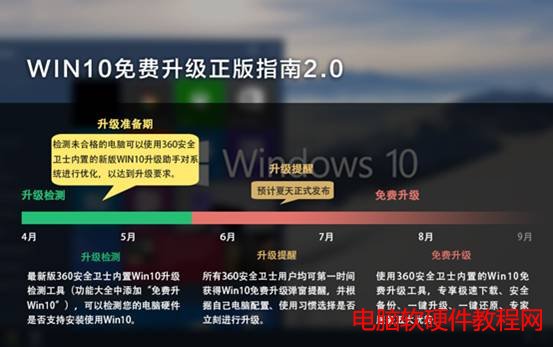
建議升級前先用磁碟清理或 360 瘦身預留 20GB+ 空間,升級順利率大增。