Win10 桌面預設不顯示「我的電腦/我的文件」,改以使用者帳號命名資料夾 (如 Administrator)。啟用桌面圖示即可找回。
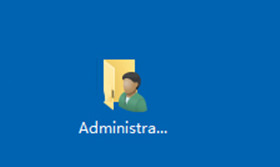
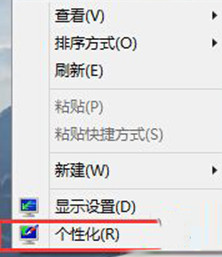
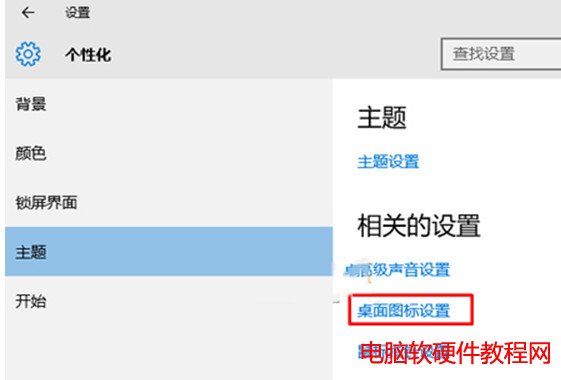
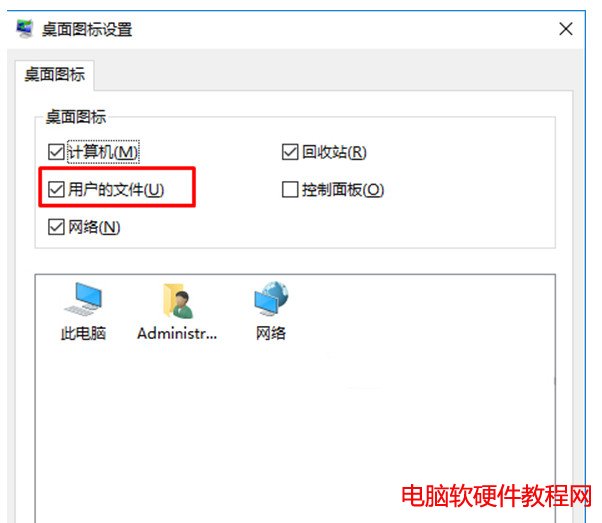
此設定僅控制桌面捷徑顯示,實際資料夾位置在 C:\Users\使用者名稱\Documents,不影響檔案存取。
Win10 如何刪除 PIN 碼?設定 → 帳戶 → 登入選項 → 刪除 PIN,需驗證密碼
Windows 10 Build 10130 聲音驅動異常無聲音解決法:更改播放裝置預設格式採樣率
Win7 IE 瀏覽器總彈出「離線工作」提示?將連線設為「永不撥號」即可
Win10 正式版如何調整螢幕亮度?兩種方法:設定介面與控制台電源選項
Windows 10 開啟工作排程器,設定定時自動執行程式/指令碼
Windows 7 遊戲網路延遲高解決方案:停用 Multimedia Class Scheduler 服務