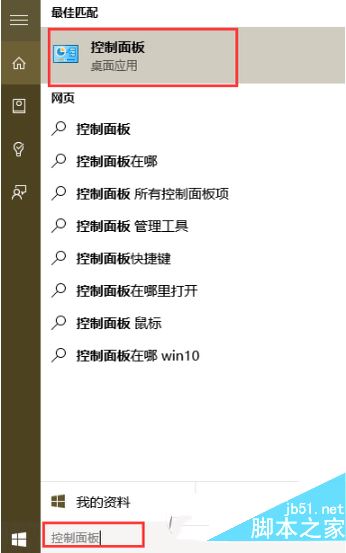
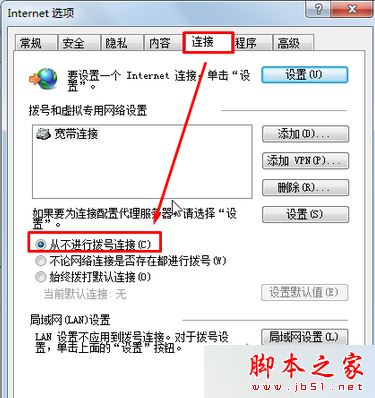
Windows 7 開啟 IE 即彈出「離線工作,目前沒有可用的 Internet 連線」視窗,需點掉才能上網。原因是 IE 連線設定為「撥號連線」,改為「永不撥號連線」即可永久關閉提示。
三步驟即可解決,適合已改用寬帶/乙太網路但 IE 仍保留舊撥號設定的用戶。
用 Zeno 程式加速螢幕顯示回應速度,MaxDOS 環境下一鍵安裝
Win7 Word 2010 設定開啟密碼教學:檔案→資訊→保護文件→加密密碼四步完成
Win10 9926 更新後極路由無法連接硬碟:SMB 1.0/不安全來賓存取 登錄修復法
Win10 RedStone 預覽版 14267 該怎麼更新升級?
Win7 還是升 Win10?免費升級截止、支援週期、隱私權、遊戲效能、強制更新全方位剖析
XP 系統待機後無法喚醒解決方案:電源管理、BIOS、主板跳線完整設定
Windows 7 純色桌面背景導致開機延遲 30 秒的 Bug 與解決方案
微軟確認即將推送 Windows 10 Mobile 105xx 預覽版:質變級更新,TH2 新分支首秀