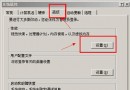
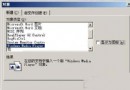
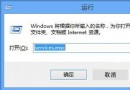
Windows Server 2003 預設為伺服器負載調校,作為工作站使用時需手動調整以釋放效能。本文提供 7 項實測有效的加速技巧。
lusrmgr.msc 新增使用者並加入 Administrators 群組,享受個人化設定與較低權限基線。套用上述設定後,Windows Server 2003 將以極低資源佔用提供流暢回應,適合作為開發、測試、輕量應用工作站。
Windows Server 2003 授予遠端桌面使用者權限的四種實用方案
Windows Server 2003 關閉惱人彈出通知:磁碟空間、新程式、錯誤回報、安全中心、IE 彈出攔截
Windows Server 2003 突破預設限制:打造多媒體娛樂工作站全攻略
Windows Server 2003 自動登入兩法:登錄編輯與 control userpasswords2 快速設定
Windows Server 2003 Active Directory (AD) 資料庫備份與還原完整實戰指南
Windows Server 2003 SNMP 服務安全強化:社群名稱、IPsec 封包篩選完整設定