Windows Server 2003 雖定位伺服器,但在 Word 2003 中仍藏有許多有趣功能:嵌入 Windows Media Player 播放網路影片、插入 Flash 動畫、內建中英雙向翻譯與註解工具,讓文書處理更豐富。
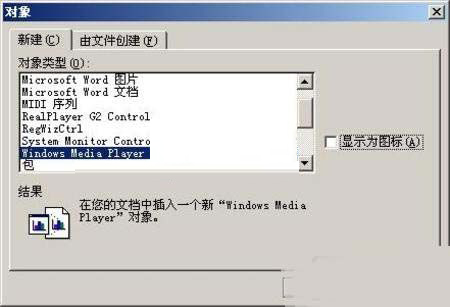
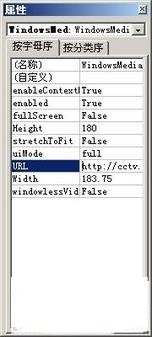
善用 Word 2003 的多媒體與語言工具,讓 Windows Server 2003 也能成為生產力利器。
Windows Server 2003 兩指令永久顯示移動硬碟磁碟機代號:mountvol /e
Windows Server 2003 內建 PPPoE 撥號上網完整設定教學
Windows Server 2003 域控制器密碼複雜度需求關閉教學
Windows Server 2003 ASR (自動系統復原) 磁碟組建立完整教學
Windows Server 2003 安裝啟動檔案提取四步驟:打造自訂安裝媒體
Windows Server 2003 網路芳鄰僅見自己?網卡安裝正確與否的判斷邏輯與完整排查流程
Windows Server 2003 優化技巧全集:開機登入、關機、主題、音效、DirectX、IE ESC、USB、頻寬、自動登入