開發者預覽版中,使用者誤將 Metro 介面的「控制台」磁貼刪除,欲找回卻無從下手。
Control(Win8 自動啟動搜尋)。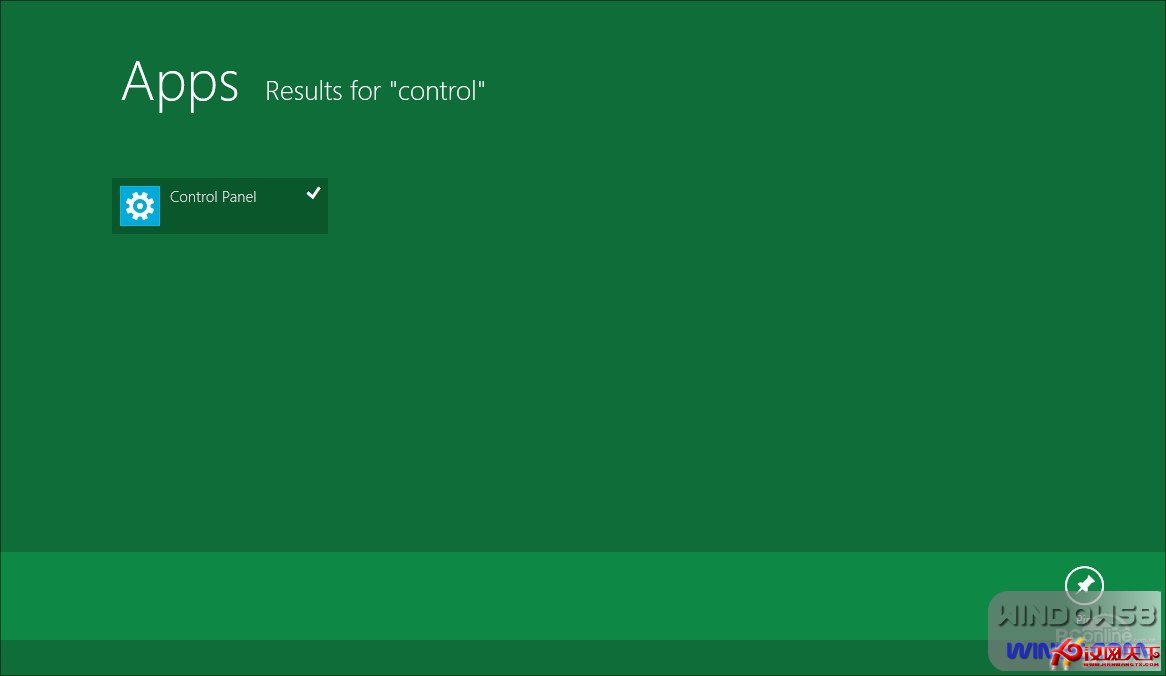
圖:找回「丟失」的 Metro 圖示
善用快捷鍵玩轉 Windows 8:省力省時,觸控缺失也能行雲流水
Win 10 使用者名稱修改全攻略:登入名稱、顯示名稱、資料夾名稱一次搞懂
Windows 8.1 部署 .NET Framework 3.5 完整安裝指南
解決 Windows 8.1 應用程式安裝錯誤 0x80004005 完整教學
Windows 8 雙介面 IE10 瀏覽器深度解析:桌面版傳承經典、Modern 版沉浸觸控、共享安全隱私基因
實測對決:Windows 8 多項日常操作速度全面超越 Windows 7
傳三星 10 月發布 Windows RT 平板:採用高通 Snapdragon 處理器,微軟 Surface 策略引發廠商顧慮