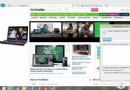
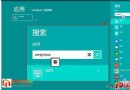
Win8 介面改版後,控制台入口隱藏較深,以下 3 招快速開啟:
- Win + U 開啟「輕鬆存取中心」,左上角點擊「Control Panel Home」。
- 桌面右鍵「Personalize」→ 左上角「Control Panel Home」。建議同步點擊「Change desktop icons」,勾選「Computer」、「Control Panel」等 5 項,直接放捷徑到桌面。
- 滑鼠指向左下角開始按鈕位置(不顯示大字時間時)右鍵 → 「Open Windows Explorer」開啟檔案總管 → 地址列最左邊小資料夾圖示點擊下拉選單 → 選擇「Control Panel」。
方法 2 最推薦,一勞永逸把控制台固定桌面。