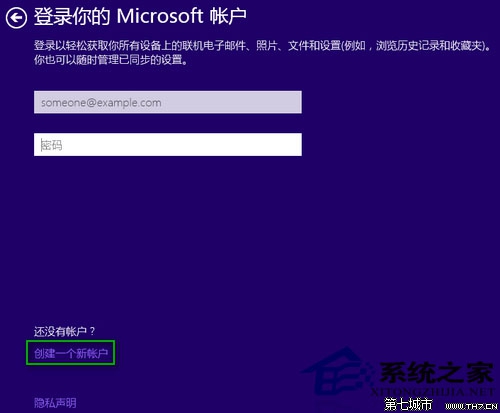
Win10 安裝預設推薦 Microsoft 帳戶登入,若偏好傳統本機帳戶,需在 OOBE 階段手動切換。
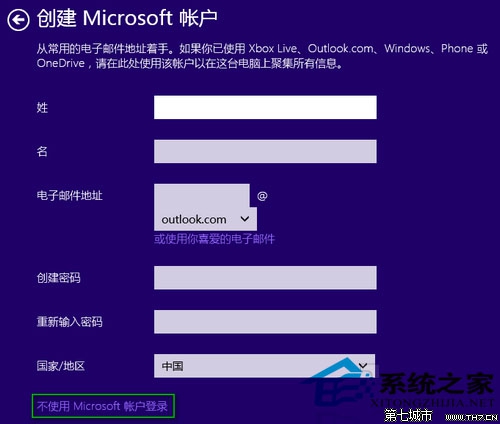
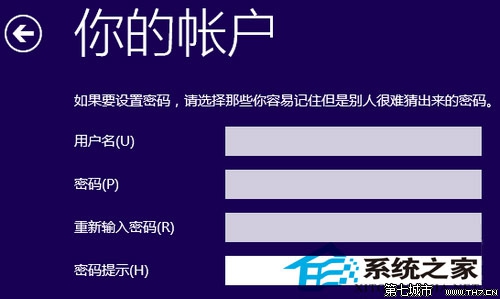
本機帳戶除完成安裝外,仍可透過「意見回饋」App 向微軟回報問題,不影響參與改善計畫。
OS X 用戶眼中的 Win8:一度排斥,實際上手發現同樣簡單
修改登錄表調整 Win8 開始畫面磁貼顯示行數,充分利用螢幕空間
Windows RT 平板忘記鎖屏密碼?三步進入「初始化電腦」強制重置(數據將清空)
Win8 開發者預覽版找回 Control Panel:搜尋複製捷徑至 ProgramData 目錄
Windows 10 設定圖片密碼(圖形密碼)完整教學:三點手勢解鎖
Win8 大百科第 36 期:檔案歷程記錄自動備份管理——如蘋果 Time Machine 般的資料保護
Win8 十大實用小技巧:上帝模式、高級使用者選單、鎖畫面自訂…
聯想電腦 (台式/筆記) Win8 改裝 Win7/XP 完整實測:BIOS 關閉 UEFI、GPT 轉 MBR、硬碟模式調整