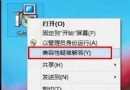
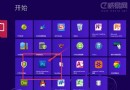
Win8 開發者預覽版 Metro 介面的 Control Panel 與 Store 圖示消失。恢復方法:
X:\ProgramData\Microsoft\Windows\Start Menu\Programs(隱藏資料夾,需設定顯示),Metro 介面出現 Control Panel 圖示。原理:Metro 捷徑皆存放於該目錄,搜尋找回捷徑並放回即可恢復。
Windows 8/7 快速查詢系統是否完整啟用:四條 SLMGR 指令
Windows XP 全新安裝 Windows 8.1 Update 圖文完整教學
Windows 8.1 官方 USB 安裝媒體製作教學:微軟升級助手下載 ISO、建立開機隨身碟、多台電腦部署
微軟公布 Windows 8.1 硬體認證最低需求:GPU WDDM 1.3、藍牙、720p 前置鏡頭、高保真音效、TPM 2.0
Win7 系統加速七大技巧:精簡啟動項、縮短等待、關閉動畫、禁用 Aero、加快關機、任務列預覽、清理字體
Windows 8 雙介面 IE10 瀏覽器深度解析:桌面版傳承經典、Modern 版沉浸觸控、共享安全隱私基因