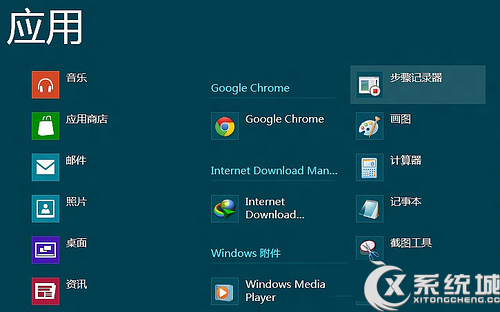
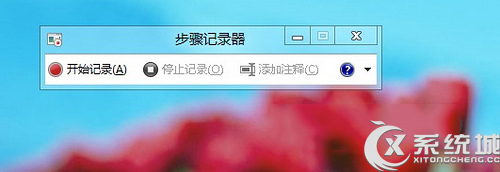
Windows 8 內建 步驟記錄器 (Problem Steps Recorder, PSR),可自動截圖記錄使用者操作步驟,生成 MHTML 報告,極適合問題回報、教學製作、流程文件化。
.zip
.mht
報告包含每步操作的螢幕截圖、滑鼠點擊位置、鍵盤輸入、時間戳記等詳細資訊,無需安裝第三方錄屏軟體即可產出專業級操作文件。
Win 8 快速開啟「執行」視窗:兩種方法任你選
Windows 8 重裝系統後如何重新啟用正版授權完整指南
Win8.1 上網慢、DNS 無回應?調整網卡「連線速度與雙工模式」為 1Gbps/100Mbps 全雙工解決
盜版 Windows 也能免費升級 Win10?騰訊/360 攜手微軟提供一鍵升級通道
ZDNet 曝光 Windows 8 三張官方概念圖:虛擬桌面 Flip 3D 切換、智慧便籤支援網址識別與拆分固定
Windows 8 或將導入「定向運算」沙盒模式:一鍵進入專用應用場景
微軟官方公開資訊匯總:Windows 8 九大關鍵特性搶先知
清除 Windows 8 遠端桌面連線歷史紀錄完整步驟:登錄檔、隱藏檔與工作列釘選清除