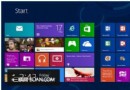
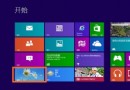
Windows 8 將影片加入「影片」資料庫:① 桌面開啟「檔案總管」(工作列資料夾圖示)。② 左側「資料庫」展開選擇「影片」。③ 右鍵「影片」→「屬性」。④ 「新增」選擇存放影片的資料夾。⑤ 「確定」。外接儲存裝置的影片建議複製/移動至資料庫包含的資料夾,影片應用程式才能自動讀取。
Win8 寬帶撥號錯誤 651 最常見解決法:檢查纜線、Modem、重建連線、聯繫客服
Win8 裝置管理員開啟雙法:右鍵電腦→管理 或 Win+X 直接選擇
Windows 8 磁碟重組(最佳化)操作指南:圖形介面與檔案總管雙重入口
Win8 桌面新增控制台圖示:最直覺的開啟方式
Win8 螢幕刷新率調整教學:解決畫面閃爍、抖動
Windows 8 更新補丁後黑屏無法進入安全模式?修復教學
Win8/8.1 自動更新失敗 0x800 系列錯誤官方修復:DISM 掃描恢復健康
Windows 8 系統重新整理與重設完整教學(含映像備份與離線部署)