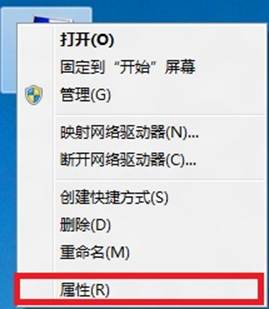
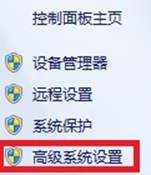
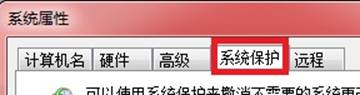
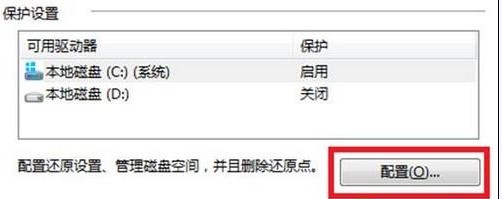
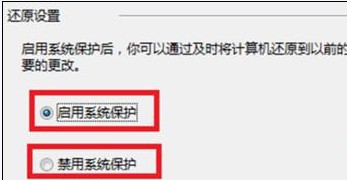
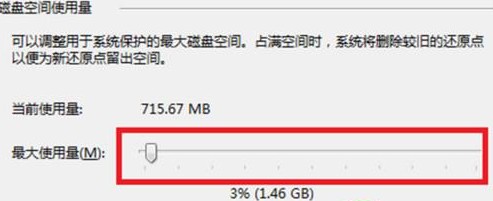
Win8 系統保護功能可建立還原點,遇問題時回溯系統狀態。可自訂開啟/關閉及最大磁碟使用量。
Win8 於 2012/10/25 發布,支援 x86/x64 與 ARM 平板,大幅改進觸控操作邏輯。
Windows 8 雙擊開機/首次開機失敗解決方案:關閉快速啟動
Win8 GPT 分區結構解析:恢復分區、EFI 系統分區、MSR 保留分區、Windows 分區作用詳解
Win8.1 取消睡眠喚醒密碼,讓電腦秒速進入桌面
Windows 8 內建磁碟管理與系統備份完整教學
Win8 選 32 位還是 64 位?依記憶體與硬碟配置決策,4GB 以上建議 64 位
Win 8 更新策略選擇指南:四種自動更新模式優缺點分析與建議
Win8 線上影片無法播放?安裝 Flash Player 並啟用 IE 增益集
Windows 8.1 睡眠無法喚醒?關閉混合式睡眠一招解決