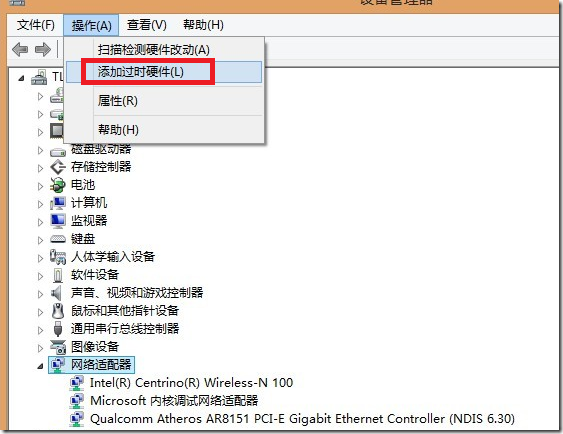
現象:網頁提示未安裝 Flash,下載卻說內建播放器;圖片也無法插入。
設定完成後網頁影片即刻正常播放。Win8 內建 Flash 需正確啟用增益集方能運作。
Win8 SendTo 功能詳解:自訂右鍵「傳送到」選單加入常用程式捷徑
Win8 关闭 Windows 10 免费升级提示:卸载 KB3035583 补丁 + 删除 GWX.exe 升级助手
Windows 8 微軟拼音輸入法詳解:從智慧 ABC 到簡捷 2012 的重生之路
Win8.1 自動更新 Flash 導致錯誤?卸載並隱藏相關更新修復
Win8 右鍵選單新增「傳送至 SkyDrive」:建立 SkyDrive 捷徑 → 放入 SendTo 資料夾
Windows 8 安全中心服務無法啟動?三大解決方案完整排查
Win8 提示「停止運作」怎麼辦?修復與重設系統指南
Win8.1 同步鎖定畫面、開始畫面佈局與主題:Microsoft 帳號登入多裝置自動同步