Win8 IE10 雙模式預設行為:根據當前環境自動選擇,或手動鎖定 Metro/桌面版
Windows 8 IE10 擁有 Metro(沉浸式)與桌面兩個版本,預設開啟邏輯與自訂設定如下:
預設自動切換邏輯
- 在 Metro 應用/環境中點連結 → 以 Metro IE10 開啟
- 在桌面應用/環境中點連結 → 以桌面 IE10 開啟
自訂預設開啟方式
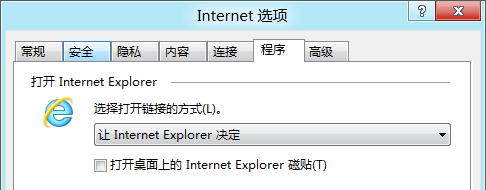
- 開啟桌面版 IE10 → Alt 顯示選單列 → 「工具」→「網際網路選項」
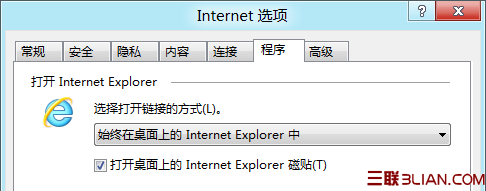
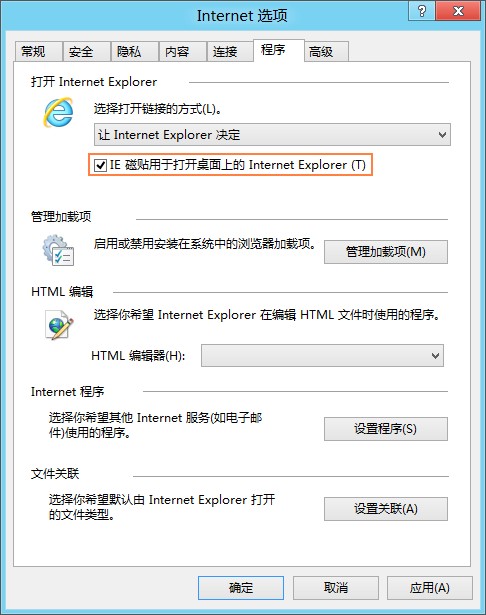
- 「程式」索引標籤 → 「選擇開啟連結的方式」區塊
- 可選:
- 讓 Internet Explorer 決定如何開啟連結(預設,依環境自動)
- 一律在 Internet Explorer 的 Metro 版本中開啟
- 一律在 Internet Explorer 的桌面版本中開啟
重要限制
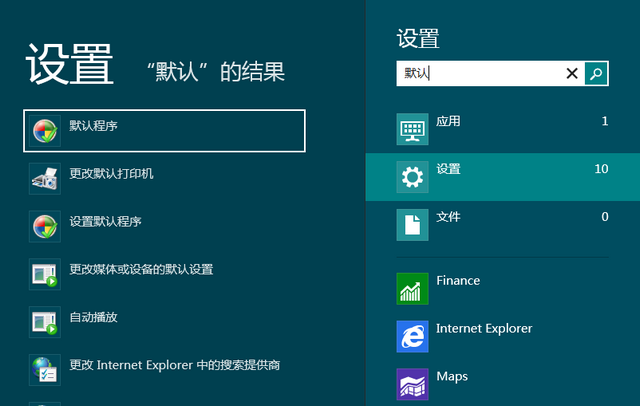
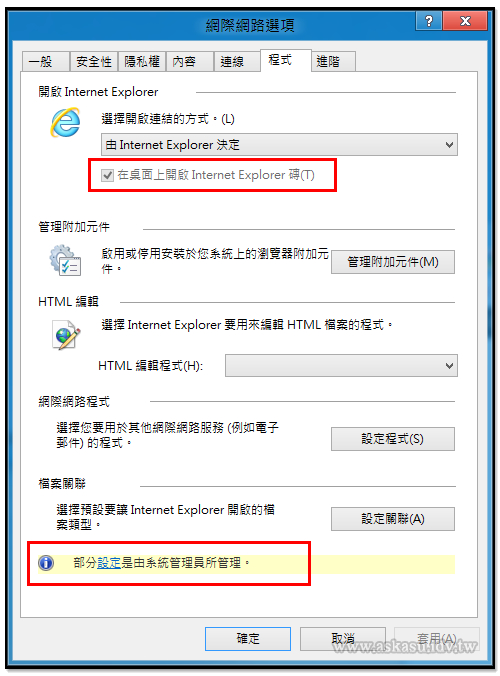
- 若 IE10 非預設瀏覽器,「選擇開啟連結的方式」將灰色停用,僅能使用桌面版 IE10
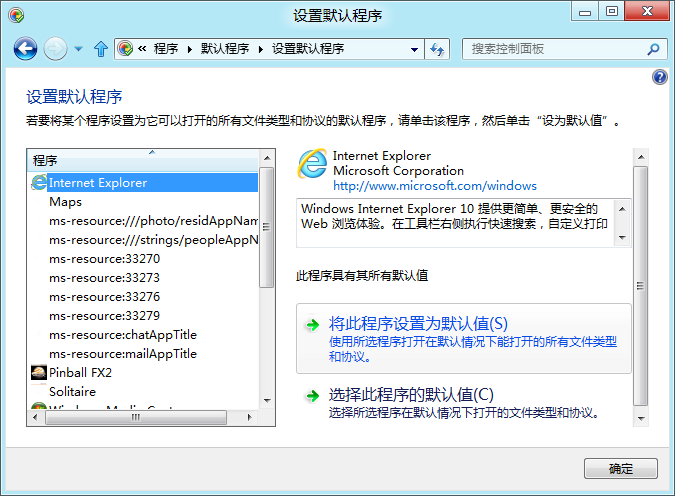
- 需先將 IE10 設為預設瀏覽器:Win 輸入「預設」→「預設程式」→選 IE10 設為預設
企業部署:群組原則強制桌面版
- Win+R
gpedit.msc
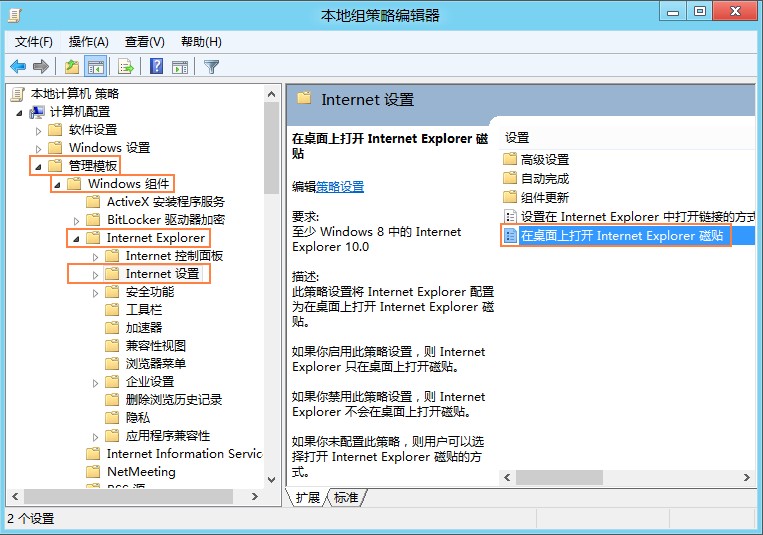
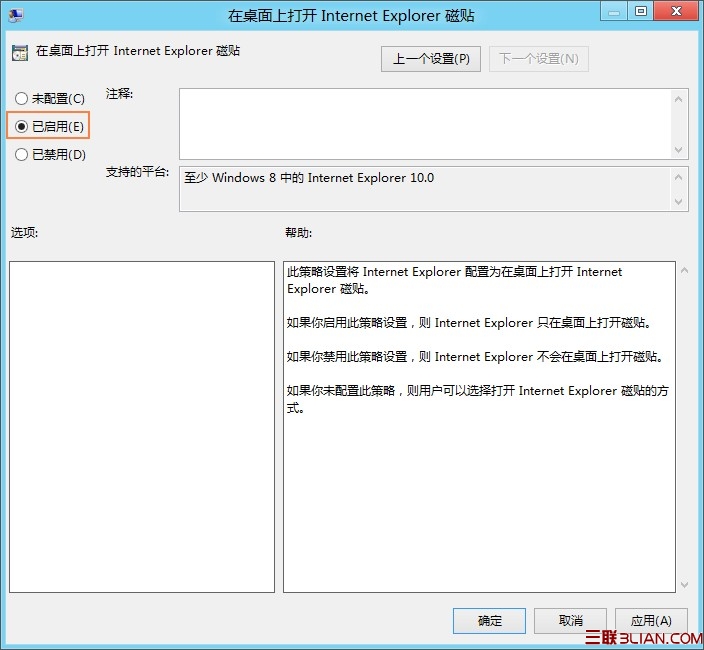
電腦設定 → 系統管理範本 → Windows 元件 → Internet Explorer → 網際網路設定- 啟用「在桌面上開啟 Internet Explorer 磚塊」
註冊表部署(大量非網域電腦)
HKEY_LOCAL_MACHINE\Software\Policies\Microsoft\Internet Explorer\Main 或 HKEY_CURRENT_USER\...- 建立/修改
ApplicationTileImmersiveActivation = 0(強制桌面版)
Windows Server 2012 預設即為桌面版 IE10,無需額外設定。