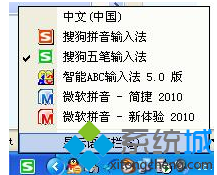
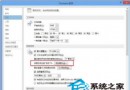
關閉後不再彈出「文字轉換錯誤」通知,也停止上傳輸入習慣資料,保護隱私。
Win8 筆記本調整螢幕亮度教學:控制台與快捷鍵雙管齊下
Windows 8.1 寬頻連線錯誤 651 徹底解決:設定 Telephony 與 Remote Access 服務為自動啟動
Windows 8.1 必應天氣等應用程式提示有新版本卻無法更新解決法
Windows 8 瀏覽網頁花螢幕解決方案:更新顯示卡驅動程式
Windows 8 建立撥號上網連線完整圖文教學
Win8 為加密檔案建立索引:提升搜尋速度的進階設定
Win8.1 寬帶撥號自動連線:批次檔 + VBS 腳本雙重保障
Windows 8.1 螢幕截圖自動儲存技巧:Win+PrtSc 一鍵全螢幕截圖存入圖片庫