Windows XP Windows 7 Windows 2003 Windows Vista Windows 綜合教學 Linux 系統教學
Windows 10 Windows 8 Windows 2008 Windows NT Windows Server 電腦軟體教學

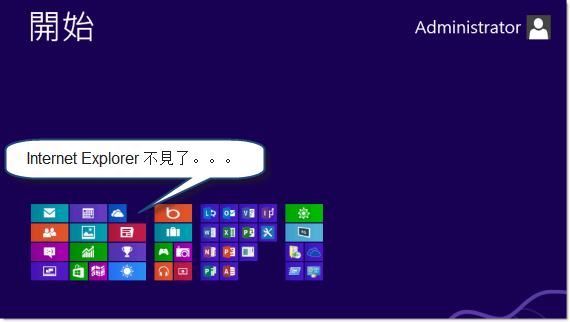
Windows 8 IE10 消失了?透過「開啟或關閉 Windows 功能」找回

編輯:Win8 系統應用技巧

Windows 8 內建 IE10 無法被徹底解除安裝。若開始畫面與桌面皆找不到 IE10,僅是被「關閉 Windows 功能」取消勾選。簡單幾步即可恢復。
恢復步驟

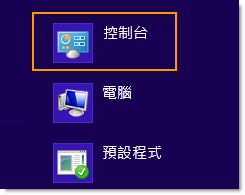
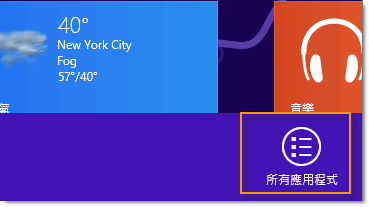
  1. 開始畫面右鍵/上滑 → 「所有應用」 → 「控制台」。
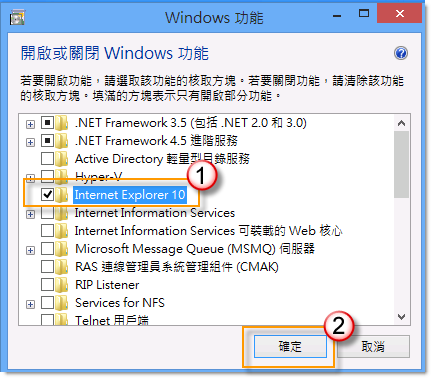
  2. 「程式」 → 「開啟或關閉 Windows 功能」。
  3. 找到「Internet Explorer 10」,重新勾選,確定。
  4. 系統提示重新啟動,點選「立即重新啟動」。

Internet Explorer 10 取消勾選狀態

重新勾選 IE10
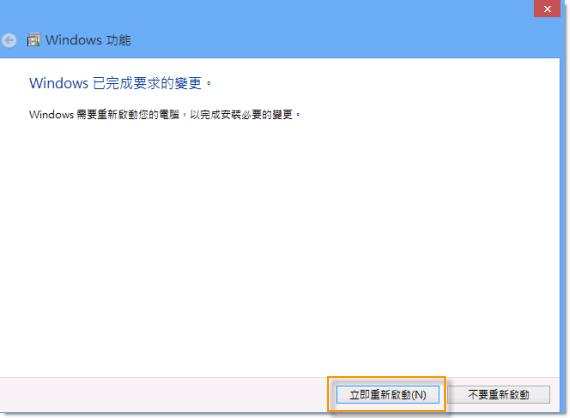
提示立即重新啟動

固定至工作列(桌面版)

重開機後,開始畫面出現 IE10 磚。若桌面工作列無圖示:開始畫面 IE10 磚右鍵/下滑 → 「固定至工作列」。
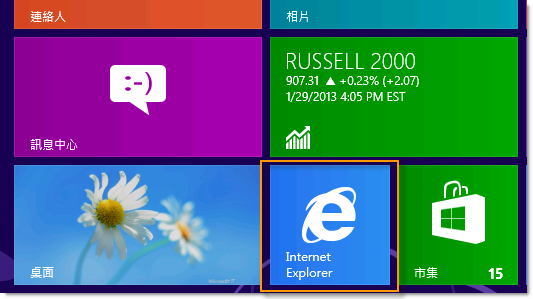
IE10 作為系統核心元件受保護,無法真正解除安裝,透過 Windows 功能開關即可隨時啟用/停用。

Copyright © Windows教程網 All Rights Reserved