Windows XP Windows 7 Windows 2003 Windows Vista Windows 綜合教學 Linux 系統教學
Windows 10 Windows 8 Windows 2008 Windows NT Windows Server 電腦軟體教學

在 Windows 8 開始畫面加入傳統桌面版 IE10 捷徑磚

編輯:Win8 系統應用技巧

Windows 8 開始畫面預設 IE10 磚啟動的是沉浸式 (Metro) 版本。若習慣傳統桌面版 IE10(支援外掛、完整功能列),可自建捷徑並固定至開始畫面。

建立桌面版 IE10 捷徑並固定步驟

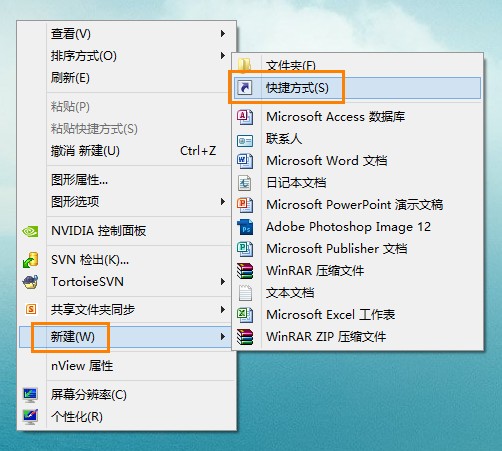
  1. 桌面空白處右鍵 → 「新增」 → 「捷徑」。
  2. 輸入路徑:C:\Program Files\Internet Explorer\iexplore.exe(64 位元系統若為 32 位元版則為 C:\Program Files (x86)\Internet Explorer\iexplore.exe)。
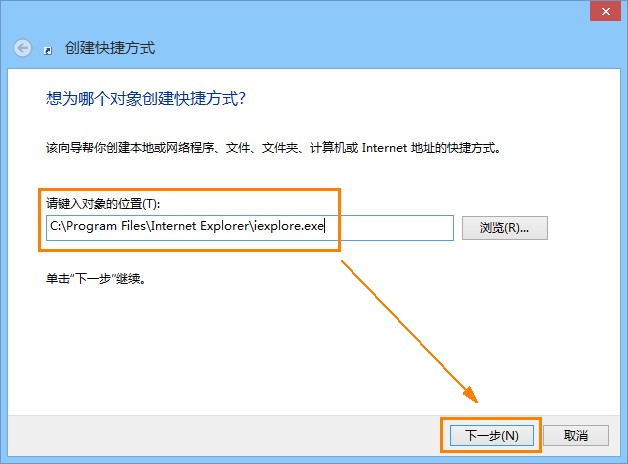
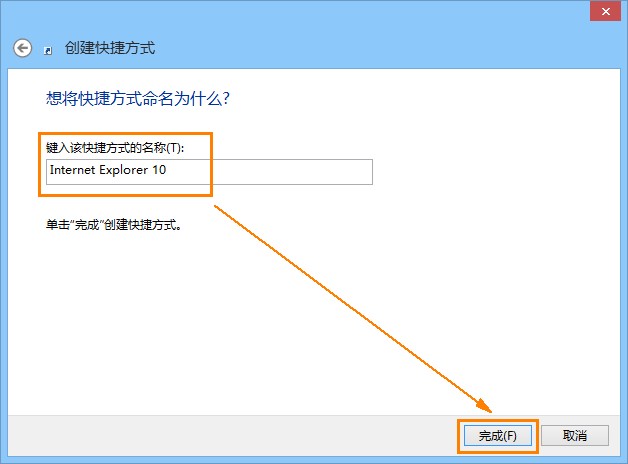
  3. 命名為「Internet Explorer 10」完成。
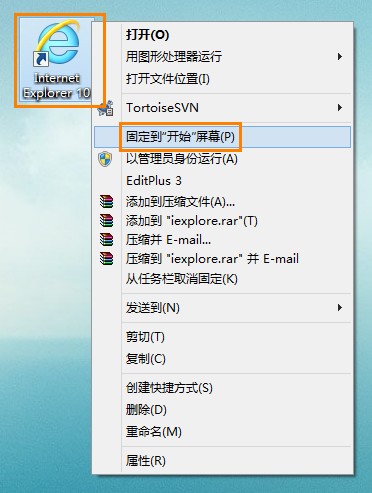
  4. 右鍵該捷徑 → 「固定至開始畫面」。

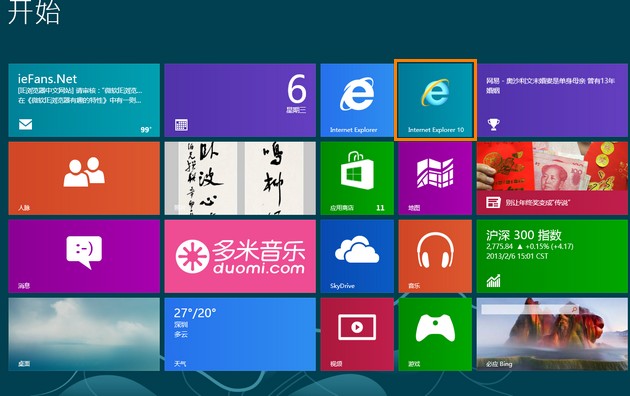
新磚會置於開始畫面最末端,長按/滑鼠拖曳可移動至偏好位置。此法同樣適用於任何傳統桌面程式捷徑固定至開始畫面。

Copyright © Windows教程網 All Rights Reserved