Adobe 發布新版 Flash Player 修補安全漏洞後,微軟隨即針對 Windows 8 / RT 及 Windows Server 2012 推出對應更新補丁(KB 篇號視版本而定),透過 Windows Update 自動推送或手動下載安裝。
更新重點
- 修補 Adobe Flash Player 已知安全漏洞,提升系統安全性。
- IE10 內建 Flash 外掛,系統層級更新確保瀏覽器端同步修補。
- 同步修正開啟內嵌 Shockwave Flash 物件文件時,可能導致 Office 2007/2010 錯誤的問題。
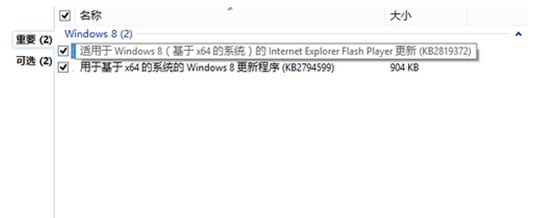
Windows 8 取得 Flash Player 更新補丁
安裝方式
- 自動更新:Windows Update 會自動偵測下載安裝。
- 手動下載:從 Microsoft Update Catalog 搜尋對應 KB 編號下載安裝。
建議啟用自動更新,確保瀏覽器與系統層級的 Flash 元件始終保持最新安全版本,降低駭客利用漏洞攻擊風險。