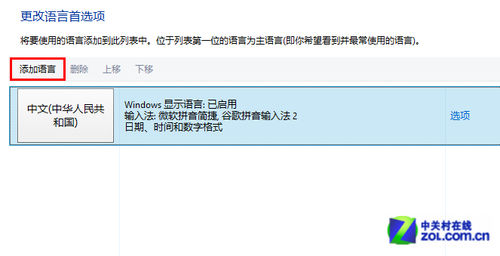
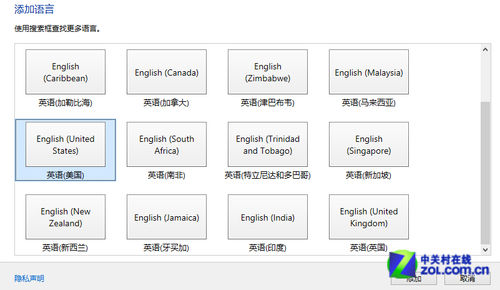
Windows 8 預設可能無美式鍵盤配置,透過新增語言即可找回:
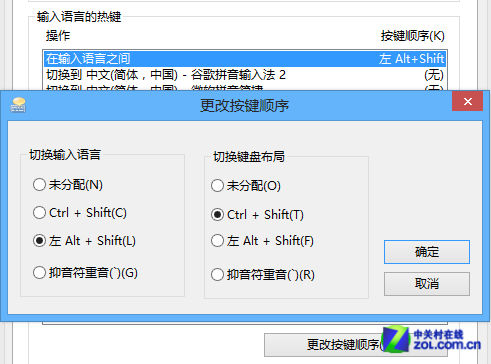
完成後美式鍵盤即為預設輸入法。注意:Metro 介面仍需使用「微軟簡易」輸入中文。
Win8 應用商店缺少自動更新選項?安裝 KB2871389/KB2917499 修復
Win8 C 槽空間越來越少?休眠檔、分頁檔、Modern 應用快取深度清理與遷移指南
Windows 8.1 Update 降級回 Windows 8.1 完整步驟
Win8 快速切換第二螢幕模式 Win+P 一鍵呼叫投影選單
Win8 清理註冊表中不再使用的網路連線設定檔教學
Win8.1 鎖定畫面顯示應用程式詳細資訊:行事曆、Skype 來電一目瞭然
Win8 隨身碟容量顯示 0 位元組?三階段修復教學
Windows 8 Metro 畫面任務切換技巧:左上角點擊、左邊緣滑動、Win+Tab 三種方式