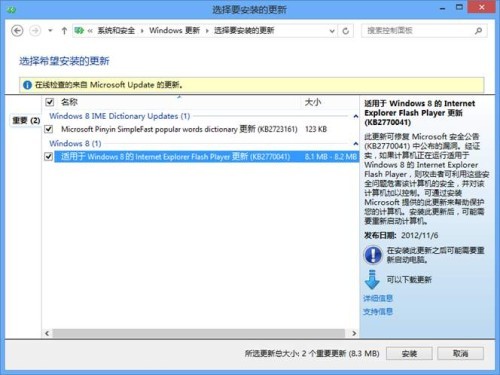
Windows 8 內建特殊版 Flash Player,非一般「預裝」概念,特性如下:
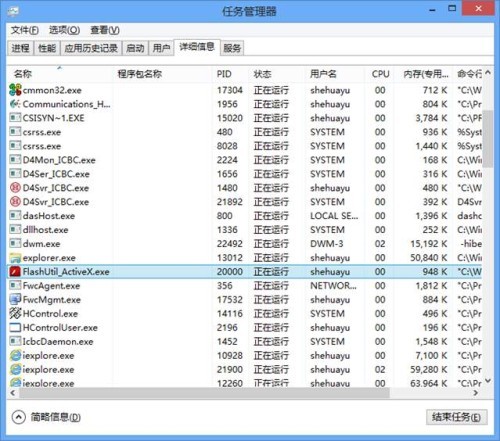
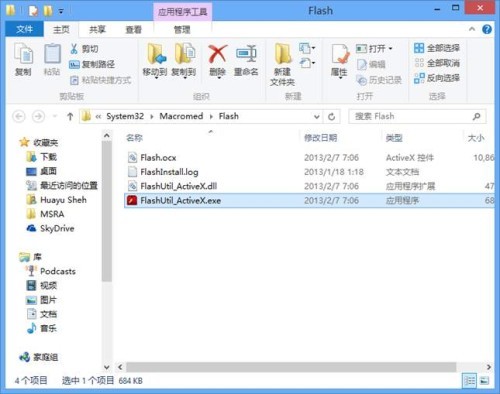
任務管理員可見 FlashUtil_ActiveX.exe 進程,檔案位於 %SystemRoot%\System32\Macromed\Flash。
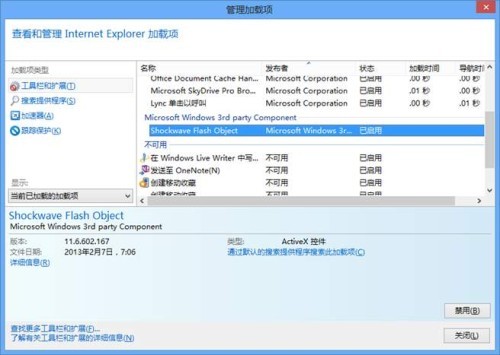
透過 IE「管理附加元件」設定。
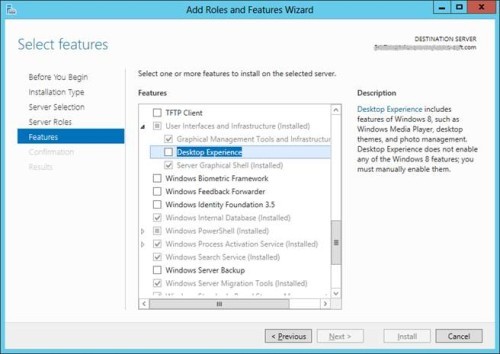
appwiz.cpl → 「開啟或關閉 Windows 功能」關閉 IE10 → 重新啟用DISM /online /Cleanup-Image /RestoreHealth 及 SFC /scannow 修復系統元件Server 2012 同樣內建但預設未啟用 IE10 Flash。需安裝「使用者介面與基礎結構」→「桌面體驗」功能以啟用。
Win8 安裝無線網卡驅動程式報錯 setup.rul 342?Windows Update 自動安裝或驅動程式工具離線安裝
Win8 寬帶撥號錯誤 813 解決法:重新開機強制斷開前一連線,或重建撥號連線
Windows 8 动态磁贴使用技巧:拖拽排序、分组命名、大小调整、关闭动态、固定网页
Win8.1 Update 更新失敗?兩行 DISM 指令移除殘留套件再重裝
Windows 8 善用全域搜尋:Charm 列、Win+X、應用內搜尋與自訂搜尋範圍
Win8 查看無線網路流量使用量:右鍵訊號圖示 → 顯示預估資料使用量