IE11 變更 User Agent 字串(移除 "MSIE"、加入 "Gecko"),導致許多網站誤判為 Firefox,版面錯亂或功能失效。
工具列 → 「相容性檢視設定」 → 加入問題網站。但需逐站設定。
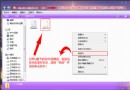
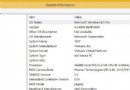
regedit。HKEY_LOCAL_MACHINE\SOFTWARE\Microsoft\Internet Explorer\Main\FeatureControl\FEATURE_BROWSER_EMULATION。iexplore.exe,值設為 8000 (十進位 32768) 或 8888。HKEY_CURRENT_USER\Software\Microsoft\Internet Explorer\Main\FeatureControl\FEATURE_BROWSER_EMULATION 同樣鍵值。修改後 UA 範例:Mozilla/5.0 (MSIE 8.0; Windows NT 6.3; WOW64; Trident/7.0; rv:11.0) like Gecko。含 "MSIE" 字串即可解決多數相容性問題。