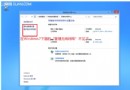
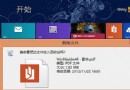
Win 8/RT 使用者收到 Windows Update 提醒 → 進入 Windows Store 下載 8.1 更新 → 重新啟動完成安裝。資料與帳戶保留,但應用將重新安裝。
所有設定、資料、應用無縫遷移,無需重新安裝任何應用。使用者可自由選擇升級時機。
Win8.1 開機備份/歷史記錄/檔案副本被誤刪,OneDrive 與應用商店打不開?修復恢復分區完整指令流程
Win8.1 必知的 9 大隱藏細節:從關閉應用到一鍵截圖全解析
Win8 磁碟分區增加技巧:磁碟管理壓縮卷建立新分區
Windows 8.1 Preview 安裝失敗:變更 DNS 解決下載/驗證問題
Windows 8 快速產生系統健康報告,掌握電腦效能與問題
Win8.1 更新錯誤 8024402F?清除 SoftwareDistribution 快取即可解決
Windows 8.1 微軟拼音輸入法:特殊符號與表情符號輸入技巧
Win8.1/Win10 安裝過程卡在「正在安裝應用程式」?Ctrl+Alt+Del 跳過等待