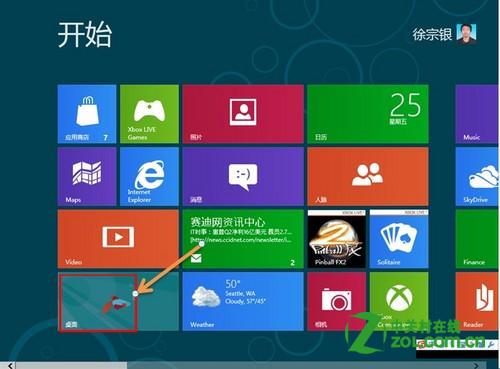
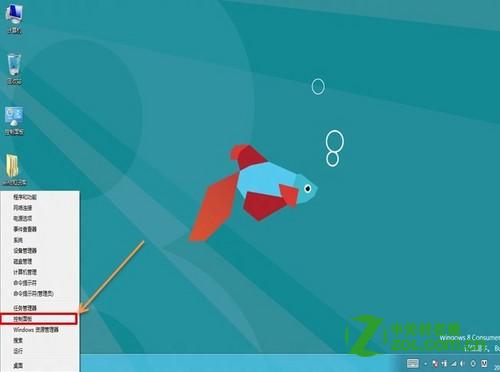
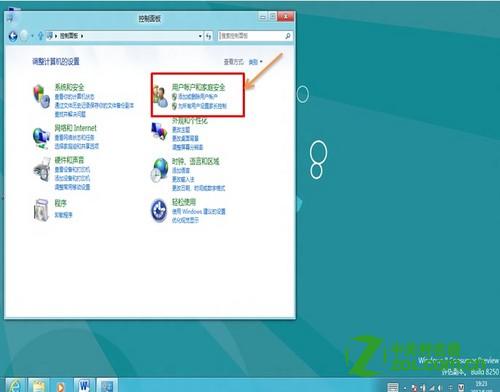
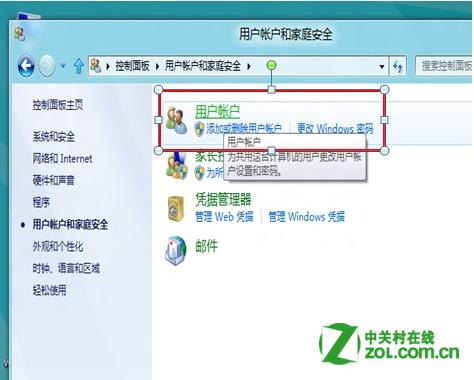
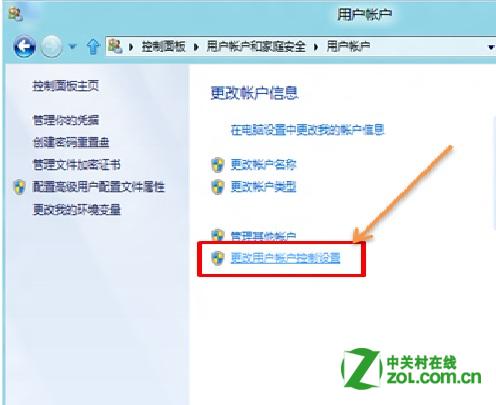
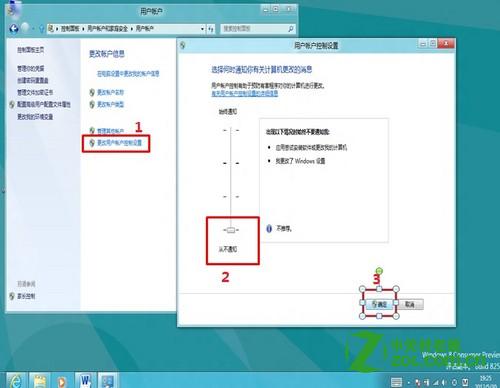
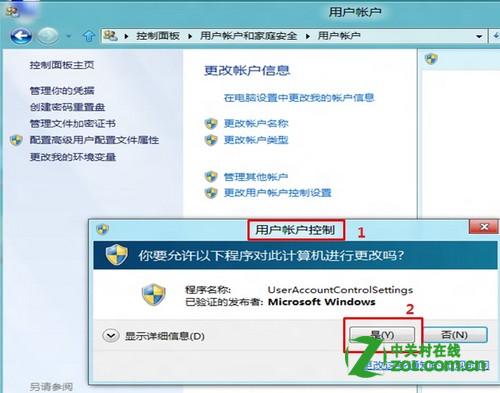
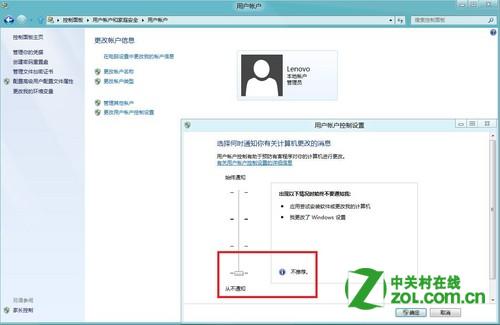
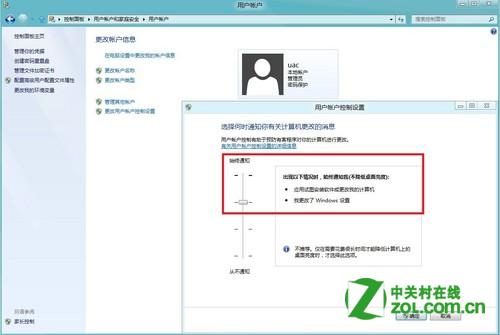
Windows 8 UAC (使用者帳戶控制) 可透過控制台調整通知等級至「從不通知」以關閉,但設定僅對當前使用者生效,不同使用者需個別設定。
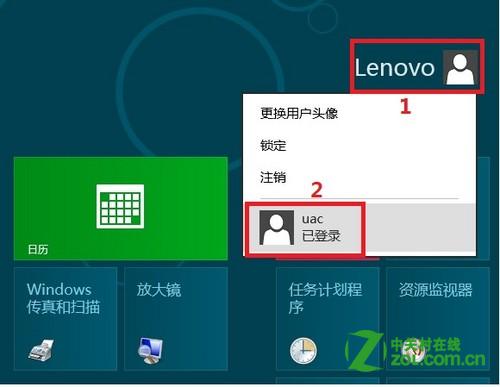
建立兩個帳號 (lenovo、uac) → 在 lenovo 關閉 UAC → 切換到 uac 帳號檢查,UAC 設定未跟著變更,證實設定為每使用者獨立。
注意:關閉 UAC 降低系統安全性,建議僅在必要時暫時關閉,平時保持預設或較低等級。
Win8 內建 IIS 架設 FTP 伺服器完整圖文教學
Win8 自訂檔案總管導覽窗格:透過登錄編輯隱藏網路、家庭群組、資料庫等項目
Win8.1 Modern 應用中顯示任務欄:Win+T 快捷鍵與鼠標喚出雙模式
Win8.1無線網路頻繁斷線 根治方案:啟用FIPS相容性
Win8 無法開啟「電腦管理」?匯入登錄檔修復 MMC 主控台
Win8 修改網卡 MAC 地址與安裝網絡協議完整教程
Windows 8 設定外接顯示器擴充模式:解析度設定與 Charms 列快速切換
Windows 8 輸入法切換僅針對單一視窗?控制台 → 語言 → 進階設定 → 取消「允許我為每個應用程式視窗設定不同的輸入法」