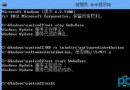
IdeaPad U310/U410/S300/S400 預裝 Lenovo Cloud Shield(聯想雲盾),透過控制台「解除安裝程式」移除時出現「502 Bad Gateway」或其他錯誤導致失敗。
ATUninstaller.exe
此工具繞過線上驗證機制,直接清除雲盾元件,適合無法透過正常管道移除的情況。
Win8 手動取得檔案權限完整教學(無需第三方工具)
Win8.1 Update 新功能大盤點:開始畫面、工作列、滑鼠鍵盤全面優化
Windows 8 隱藏功能大揭密:熱角操作與滑鼠技巧全攻略
Win8.1 Update 正式版完整安裝圖文教程:從 ISO 到全新系統
Windows 8.1 啟用免打擾模式 (安靜時段) 設定應用通知顯示時間
Win8 右鍵開始按鈕選單無法開啟?註冊表修復 IsShortcut 值
Windows 8 觸控板靈敏度調整教學
Windows 8.1 攝影機無法使用?快速啟用權限讓相機正常運作