Windows XP Windows 7 Windows 2003 Windows Vista Windows 綜合教學 Linux 系統教學
Windows 10 Windows 8 Windows 2008 Windows NT Windows Server 電腦軟體教學

Win8 平板開機直進桌面模式:修改登錄 Shell 鍵值實現

編輯:Win8 系統應用技巧

需求:Win8 平板預設開機進 Metro 介面,工作需求要直進桌面

Win8 平板開機預設進入 Metro 開始畫面。無內建選項切換預設啟動模式,需修改登錄 Shell 鍵值強制直進桌面。
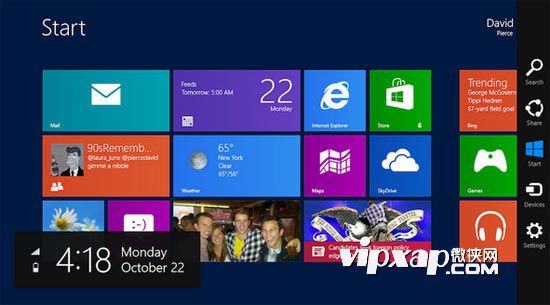
開機直進桌面示意

修改登錄四步驟

  1. Win+R → 輸入 regedit → 開啟登錄編輯器。
  2. 展開路徑:
    HKEY_LOCAL_MACHINE\SOFTWARE\Microsoft\Windows NT\CurrentVersion\Winlogon
  3. 右側找到 Shell 值,預設資料為 explorer.exe,修改為 explorer.exe, explorer.exe (雙重 explorer.exe 逗號分隔)。
  4. 確定儲存,重新開機即預設進入傳統桌面。

恢復預設 (進 Metro 介面)

依相同步驟將 Shell 值改回 explorer.exe 單一值,重開機即恢復。

注意事項

  • 修改登錄有風險,建議先匯出 Winlogon 分支備份。
  • 此法適用 x86/x64 架構 Win8 平板 (Surface Pro 等),ARM 版 Surface RT 無傳統桌面不適用。
  • Win8.1 可在「工作列與導覽屬性」→「導覽」勾選「登入時直接進入桌面」原生實現,無需改登錄。

結語

修改 Shell 鍵值為 explorer.exe, explorer.exe 可強制 Win8 平板開機直進桌面,Win8.1 用戶建議改用內建設定,更安全穩定。

Copyright © Windows教程網 All Rights Reserved