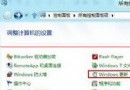
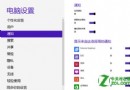
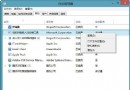
Internet Explorer 為常用瀏覽器,Windows 8 可透過搜尋功能快速釘選至開始畫面與工作列,提升存取效率。
同樣方式可釘選至工作列,讓常用瀏覽器一鍵直達。
域環境下 Win8.1 無法設定自動登入?重置本地安全性原則即可修復
Win8 提示「停止運作」怎麼辦?修復與重設系統指南
Windows 8 正版授權啟用全攻略:線上啟用、電話啟用、換金鑰一篇搞定
Win8.1 無線網路受限/斷線解決:啟用 FIPS 相容性與更新網卡驅動
Windows 8.1 相容性測試:下載工具、網路優化、系統維護與學習軟體完整報告
Win8 常用軟體(QQ、暴風影音)無回應?安裝 .NET Framework 3.5 解決啟動環境缺失
Win8.1 五筆輸入法無法在網頁輸入?關閉 IE 保護模式即解
Windows 8 安全性能大幅提升:內建防毒、SmartScreen 全系統防護、安全啟動