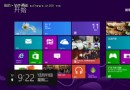
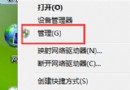
並非所有筆電都內建藍牙模組,需先確認硬體支援。確認有藍牙模組且驅動正常後,依下列步驟開啟。
開啟後系統匣會出現藍牙圖示,可進行裝置配對。若無「無線」選項,代表硬體不支援或驅動未裝妥。
Win8 Chrome 更新失敗 0x00000000?清除 User Data 快取目錄徹底修復
Windows 8 設定外接顯示器擴充模式:解析度設定與 Charms 列快速切換
Windows 8 Metro 應用程式閃退解決方案完整版
Win8.1 升級 Win8.1 Update RTM 完整步驟:安裝 Rollup 套件 → KB2919442 → KB2919355
Windows 8 設定滑鼠雙擊速度教學
Win8 D 槽 Documents and Settings 捷徑刪不掉?DiskGenius 強力刪除
Win8/8.1 刪除資料夾權限不足?兩種方法取得最高權限:安全性標籤法與右鍵選單註冊表法
Windows 8 以系統管理員身分開啟命令提示字元:三種快速方法