問題現象
Windows 8.1 內建 IE11 已整合 Flash Player,無需另行安裝。若網頁提示需安裝,通常是因網站偵測邏輯舊版或 IE 設定問題。
解決方案
- 確認 IE11 已啟用 Flash:Win+Q 搜尋「管理附加元件」→「工具列與延伸模組」→ 確認「Shockwave Flash Object」為「已啟用」。
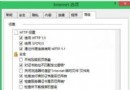
- 開啟「網際網路選項」→「進階」→「安全性」區段,確認「允許執行 ActiveX 控制項與外掛程式」已勾選。
- 清除 IE 快取與 Cookie:Ctrl+Shift+Del → 選擇「暫存網路檔案」與「Cookie」→ 刪除。
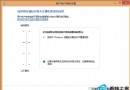
- 若仍無效,嘗試重設 IE:Win+Q 搜尋「網際網路選項」→「進階」→「重設」→ 勾選「刪除個人設定」→ 重設並重開機。
說明
Windows 8.1 透過 Windows Update 自動更新內建 Flash Player,一般情況下無需手動安裝。遇到提示請優先檢查附加元件狀態與安全性設定。