Windows 8 安裝「郵件、行事曆、人脈」應用(Windows Communications Apps)失敗報錯 0x80073cff,主因是應用佈建套件狀態損毀。PowerShell 移除殘留佈建套件後重新從應用程式商店安裝即可修復。
PowerShell → 右鍵「以系統管理員身分執行」Get-AppxProvisionedPackage -Online | Where-Object {$_.PackageName -like "*windowscommunicationsapps*"} | Remove-AppxProvisionedPackage -Online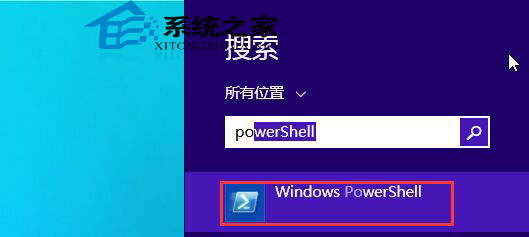
0x80073cff 通常關聯 Windows Store 授權快取損毀,重新安裝會重新取得授權若問題持續,可嘗試重置 Windows Store 快取:
Win + R → wsreset.exe → 等待自動重啟商店。