Windows XP Windows 7 Windows 2003 Windows Vista Windows 綜合教學 Linux 系統教學
Windows 10 Windows 8 Windows 2008 Windows NT Windows Server 電腦軟體教學

Windows 8 關機不方便?自建桌面捷徑一鍵關機/重開機/鎖定/睡眠

編輯:Win8 系統應用技巧

前言

習慣 Windows XP/7 的使用者常覺得 Windows 8 關機麻煩。本文示範在桌面建立電源操作捷徑,並可自訂圖示、釘選到工作列。

建立關機捷徑步驟

  1. 桌面右鍵 →「新增」→「捷徑」。
  2. 位置輸入:shutdown.exe -s -t 0 → 下一步 → 命名「關機」 → 完成。

  3. 新增捷徑 輸入指令
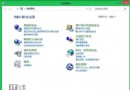
  4. 右鍵捷徑 →「內容」→「變更圖示」選擇合適圖示。
  5. 變更圖示

其他電源捷徑指令

  • 重新開機:shutdown.exe -r -t 0
  • 鎖定電腦:rundll32.exe user32.dll,LockWorkStation (或 Win+L)
  • 休眠:rundll32.exe powrprof.dll,SetSuspendState
  • 睡眠:rundll32.exe powrprof.dll,SetSuspendState 0,1,0

釘選到開始畫面/工作列

右鍵捷徑 →「釘選到開始畫面」或「釘選到工作列」,即可快速存取。

釘選到工作列

結語

透過簡單捷徑即可找回直觀的電源操作體驗,適應 Windows 8 新介面的同時保留習慣效率。

Copyright © Windows教程網 All Rights Reserved