Windows XP Windows 7 Windows 2003 Windows Vista Windows 綜合教學 Linux 系統教學
Windows 10 Windows 8 Windows 2008 Windows NT Windows Server 電腦軟體教學

Win8 建立一鍵關機捷徑釘選到開始畫面:shutdown 指令快速關機

編輯:Win8 系統應用技巧

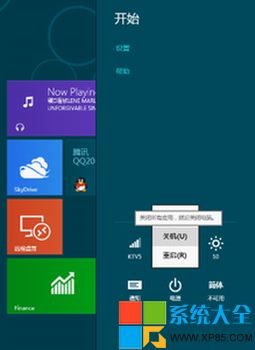
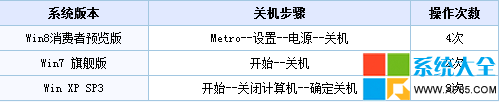
Win8 關機需 4 步驟(Charms→設定→電源→關機),建立桌面捷徑並釘選到開始畫面,可一鍵關機。

建立捷徑步驟

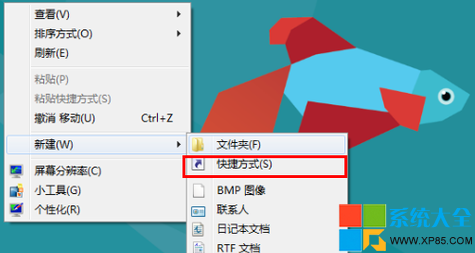
  1. 桌面空白處右鍵 → 新增 → 捷徑。
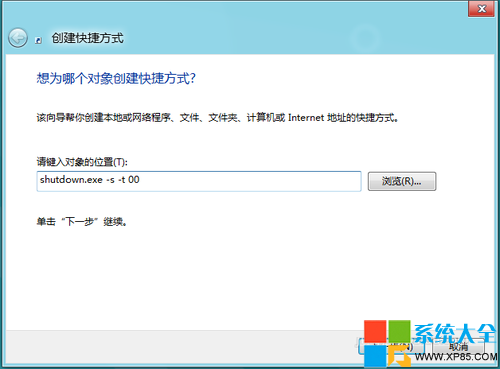
  2. 項目位置輸入:shutdown.exe -s -t 00(-s 關機,-t 00 0 秒延遲立即關機)。
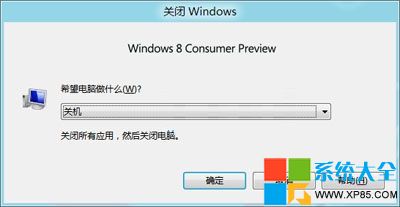

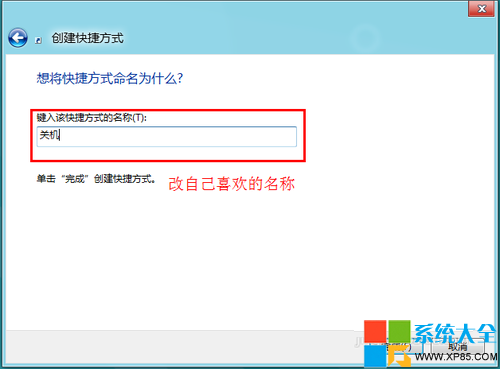
  3. 命名為「關機」或「一鍵關機」 → 完成。
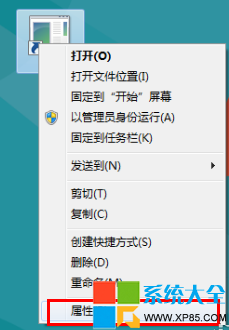
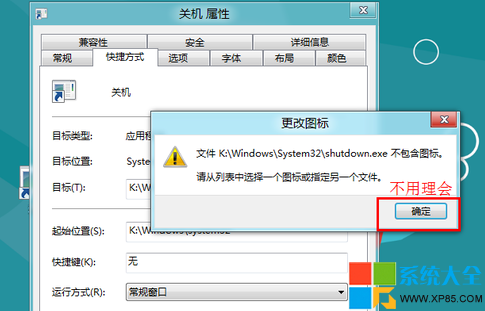
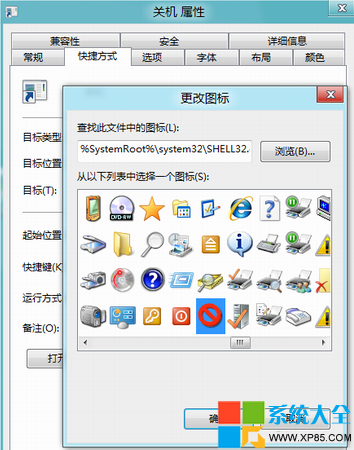
  4. 右鍵捷徑 → 內容 → 捷徑 索引標籤 → 變更圖示 → 選擇喜歡的關機圖示 → 確定。
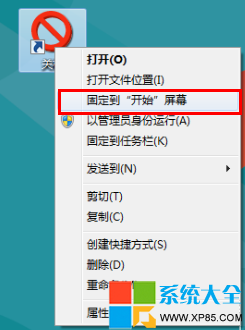
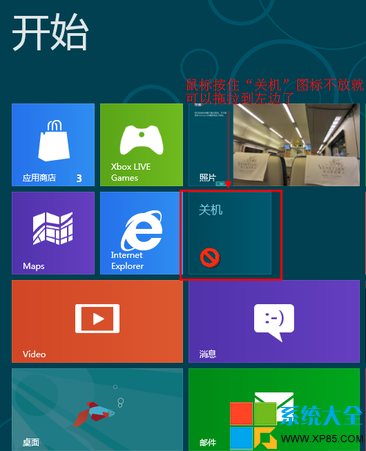
  5. 右鍵捷徑 → 釘選到開始畫面。
設定按鈕 電源選單 關機步驟對比 開始畫面釘選 新增捷徑 輸入 shutdown 指令 捷徑命名 變更圖示 選擇圖示 圖示預覽 釘選到開始畫面 完成

延伸指令

  • 重新開機:shutdown.exe -r -t 00
  • 睡眠:rundll32.exe powrprof.dll,SetSuspendState 0,1,0
  • 休眠:shutdown.exe -h
  • 登出:shutdown.exe -l

提醒:捷徑執行即立即關機,不會詢問確認,請謹慎放置避免誤觸。

Copyright © Windows教程網 All Rights Reserved