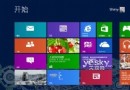
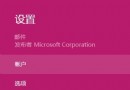
安裝 Win8 後發現桌面圖示、文字邊緣模糊,通常是 DPI 縮放非 100% 導致。修正步驟:
高解析度螢幕若覺得 100% 過小,建議調整解析度而非縮放,以獲得最佳銳度。
Win8 修改 hosts 檔案封鎖內建應用廣告:還原純淨體驗
Windows 8.1 將 USB 隨身碟與磁碟機分組顯示的技巧
Windows 8 Metro 方塊圖示美化:取得 WindowsApps 權限、替換 310×150 PNG 圖示檔
安裝 Win8 64 位元系統最低配備需求:CPU 1GHz、RAM 2GB、硬碟 20GB、DirectX 9 顯卡
Windows 8.1 獲取最高管理權限完整教學:徹底掌控系統資源
Windows 8 帳號自動登入設定與工作列重置問題解析
Windows 8 桌面圖示模糊不清?調整 DPI 縮放至 100% 瞬間銳利
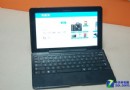
Win8.1 平板螢幕自動旋轉失效?啟用 Sensor Monitoring Service 服務