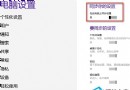
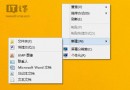
平板裝置右側 Charms 列設定中「螢幕旋轉」選項消失,重力感應無法自動旋轉螢幕。
Services
服務啟動後,Charms 列「螢幕」設定即恢復「鎖定旋轉」開關,重力感應自動旋轉功能正常運作。
Win8 主題 MadobeYu.deskthemepack 無效?語言衝突解決法:暫時切換日文地區
Win 8 更新策略選擇指南:四種自動更新模式優缺點分析與建議
Win8 寬帶撥號自動記住帳號密碼:連線內容勾選「記住我的認證」
Windows 8 設定無線路由器教學
Windows 8 安裝與設定 Microsoft Media Center 完整教學
Win8 優化磁碟機提升效能:控制台 → 效能資訊與工具 → 磁碟碎片整理排程自動化
Windows 8 7989 版本完整漢化流程圖文記錄
筆記本/品牌機預裝 Win8 正版升級 Win8.1 正版全攻略:OEM 金鑰保留與乾淨安裝