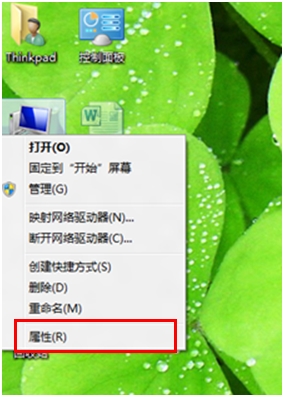
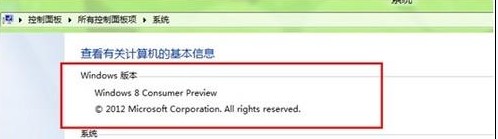
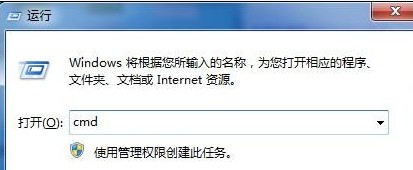
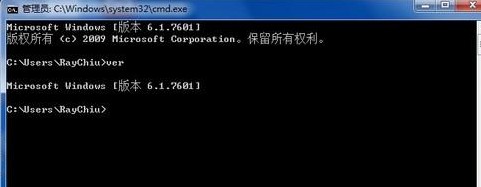
需確認 Windows 8 確切版本(如 6.2.9200、專業版、企業版)?提供 GUI 與 CLI 兩種查看方式。
cmd
ver
Microsoft Windows [Version 6.2.9200]
systeminfo
兩種方法皆無需安裝第三方工具,隨時可查。
Windows 8 IE10 不記住帳號密碼?完整排查與修復指南(含群組原則方案)
Windows 8 關閉防火牆完整步驟教學
Windows 8 桌面回收站圖標隱藏/顯示技巧
修改登錄優化 Win8 觸控回應速度與鍵盤反饋
系統巧妙設定讓 Windows 8 開機更快:msconfig 與啟動項管理
Windows 8 同步處理您的設定完整設定教學
Win8 桌面背景與主題設定 個性化介面打破單調
Windows 8 安全模式進入法與系統效能管理工具完整指南