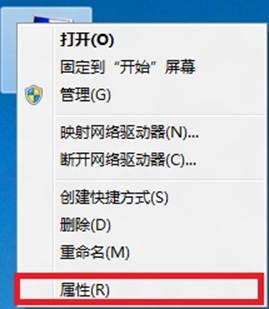
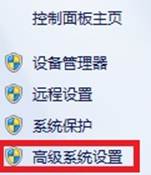
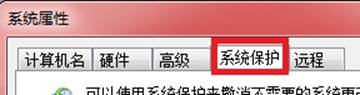
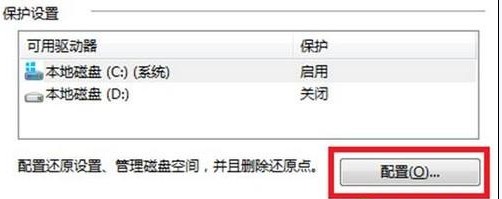
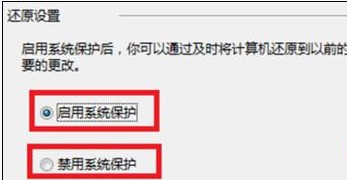
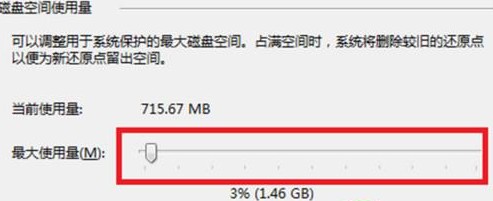
透過系統內容→系統保護進行系統還原完整設定。
Win8 任務欄消失怎麼辦?按 Win 鍵進入開始屏再回桌面秒恢復
Windows 8 系統時間自動同步兩大法:任務列時鐘與控制台雙管齊下
Win8 如何啟用/關閉 Aero Peek 預覽桌面功能
Win8.1 開始畫面磚圖片無法顯示灰色方框?更換 DNS 解決下載緩慢問題
Windows 8 如何設定滑鼠相關屬性?控制台滑鼠設定完整圖解(按鍵、指標、滾輪、硬體)
Windows 8 調整螢幕亮度與對比度四大法:輕鬆使用中心、NVIDIA 控制台、實體按鍵
Windows 8 開啟使用者帳戶控制 (UAC) 兩種方法
Windows 8.1 預覽版升級安裝完整教學 (雙管道:應用商店 / ISO)