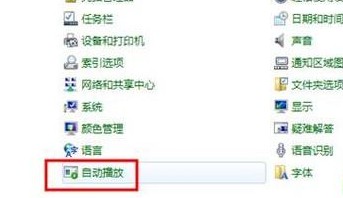
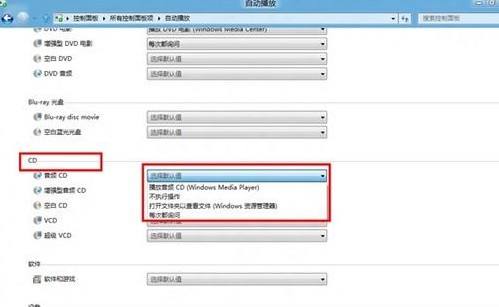
控制台「自動播放」可針對各類媒體(USB、光碟、記憶卡等)設定插入時的預設動作。
Windows 8 移除舊版應用程式與清理應用程式快取完整圖文教學
Windows 8 朗讀程式完整指南:啟動、關閉與徹底停用
Windows 8 SmartScreen 篩選器深度解析:運作機制、隱私爭議、啟用與停用方法
Win8 開機自動進入傳統桌面設定教學:建立 .scf 快捷方式實現
Windows 8 版京東商城客戶端評測:Metro 風格、橫向瀏覽、離線下單體驗
Win8 误刪桌面圖示如何找回?兩種情況完整解決方案
Win8 安裝字體:複製 .ttf/.otf 到 Fonts 資料夾或控制台拖放,兩大通用法
Win8 網路卡驅動安裝失敗?刪除 yk63x86.sys 重新掃描硬體變更安裝