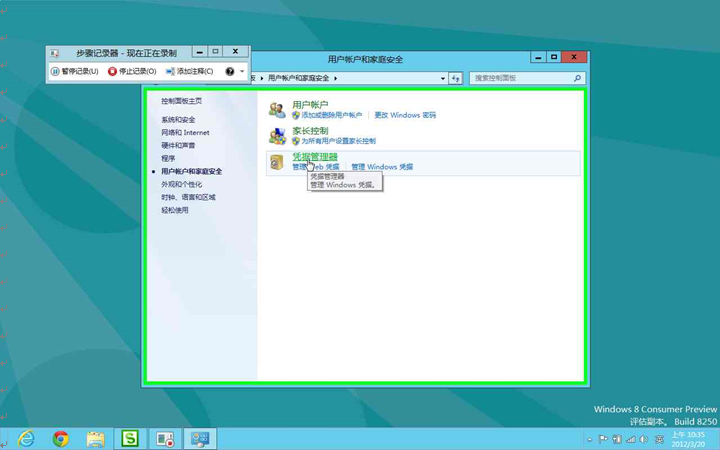
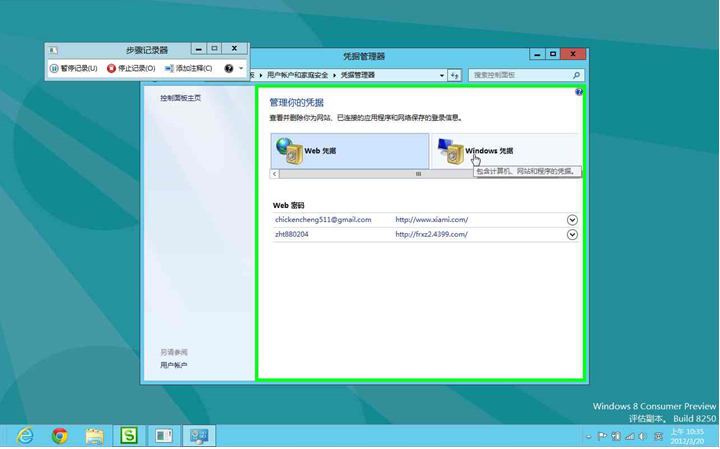
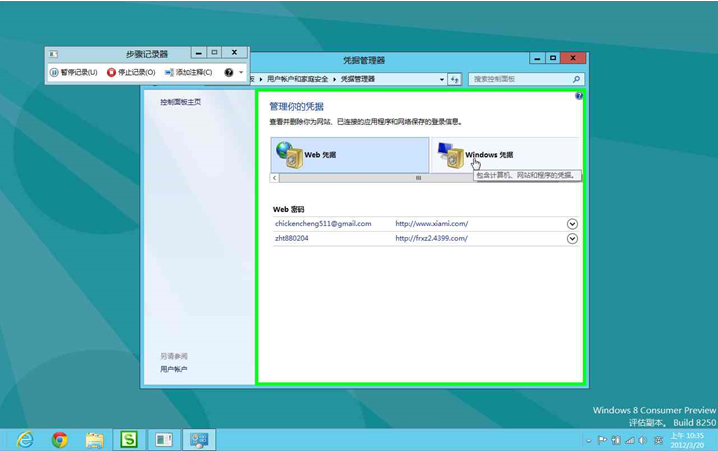
Windows 8 「認證管理員」集中管理網站、應用程式、網路共用的儲存帳號密碼(Web 認證與 Windows 認證)。
定期清理不再使用的憑證可降低帳號外洩風險。備份功能可將憑證匯出至可攜式裝置,於重灌系統或換機時快速還原。
Win8 修改虛擬記憶體最佳設定:自訂分頁檔案大小提升效能
Win8 PE 個性化修改教學:電腦屬性資訊、LOGO、桌面綠色軟體全客製化
Win8 IE 兼容性檢視設定:用 F12 開發人員工具切換文件模式解決網頁顯示異常
Windows 8 一鍵清除垃圾檔案:自製 BAT 批次檔腳本教學
Win8 IE 瀏覽器無法播放網頁影片?缺少 Flash 與加載項檢查全攻略
Windows 8 EFI 模式硬碟安裝完整教學
Win8 關閉 UAC 服務?其實是關閉提示:控制台滑桿法完整教學
Windows 8 設定開機按 F8 進入安全模式:bcdedit 指令修改啟動原則