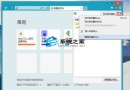
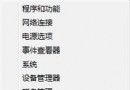
Win8.1 筆記本亮度隨環境光自動調節(自適應亮度)導致忽暗忽亮,兩法關閉:
法一:電源計劃設置(推薦,不影響其他傳感器)
- 控制面板 →「電源選項」→ 當前計劃「更改計劃設定」→「更改進階電源設定」。
- 展開「顯示」→「啟用自適應亮度」→ 「接通電源/使用電池」均改「關閉」→ 確定。
法二:禁用傳感器監控服務(徹底但可能影響自動旋轉等)
- Win+R →
services.msc。
- 找「Sensor Monitoring Service」→ 雙擊 →「啟動類型」改「禁用」→「停止」→ 確定。
建議:優先用法一,精準關閉亮度自適應且保留其他傳感器功能。法二屬暴力關閉,可能導致平板模式自動旋轉、鍵盤背光自動調節等失效。