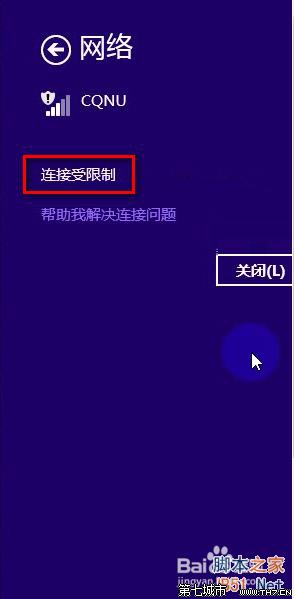
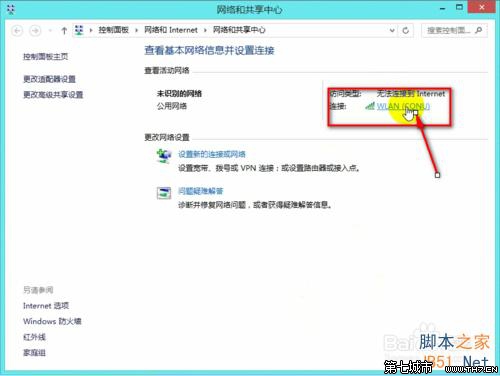
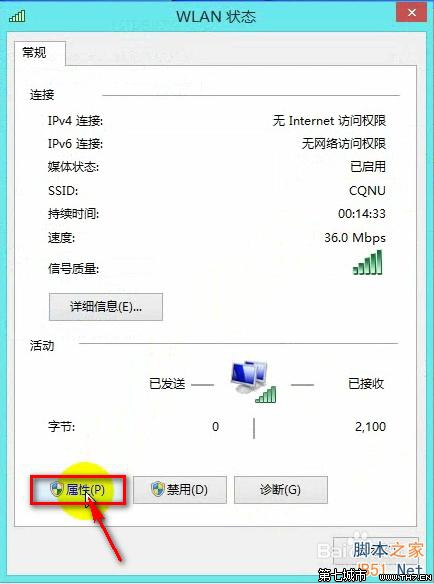
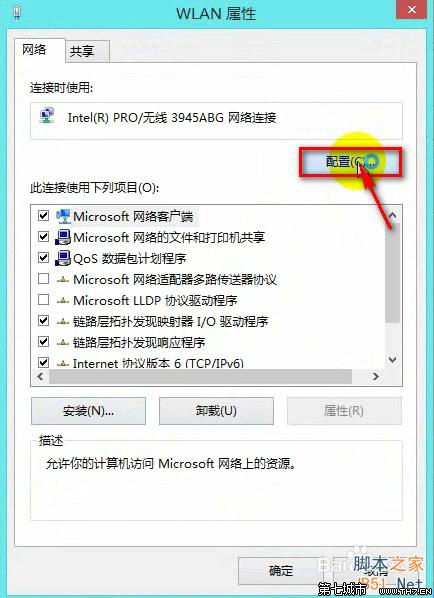
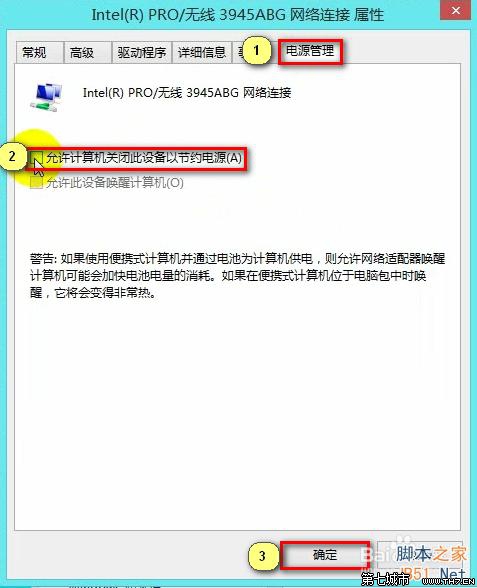
禁用網卡省電功能後,網路受限問題多數即刻解決。
Win8 安裝驅動程式後如何還原(回滾驅動程式)
Win8 筆電觸控板靈敏度調整教學(透過滑鼠設定)
Win8 开始按钮右键菜单打不开?导入注册表修复 IsShortcut 值 + 批处理重建图标缓存
Win8.1 內建鬧鐘應用程式設定教學 取代傳統鬧鐘
Windows 8.1 VPN 連線錯誤 720?WAN 微型連接埠驅動異常修復法
Win8 寬帶撥號錯誤 741 解決法:加密類型不支援,改為「不允許加密」或「可選加密」
Windows 8 建立 Wi-Fi 熱點完整指令教學:netsh hostednetwork 建立虛擬 AP 與網際網路連線共用
Win8.1 無法開啟「電腦管理」?匯入登錄檔修復 .exe 關聯解決