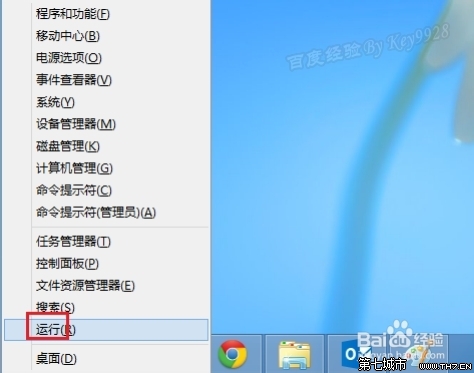
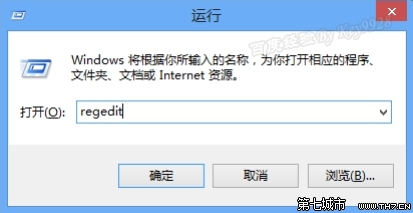
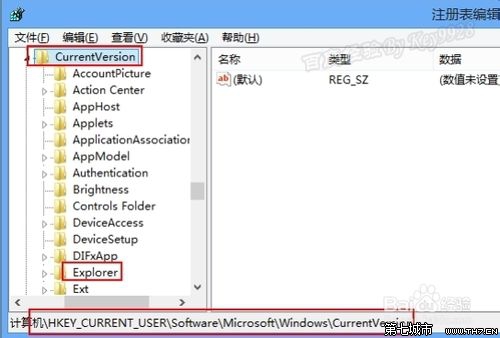
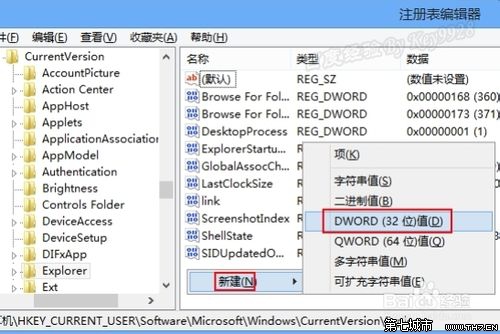
regedit
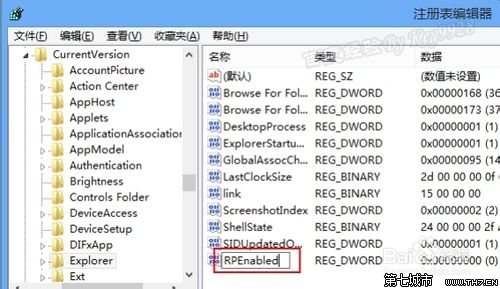
HKEY_CURRENT_USER\Software\Microsoft\Windows\CurrentVersion
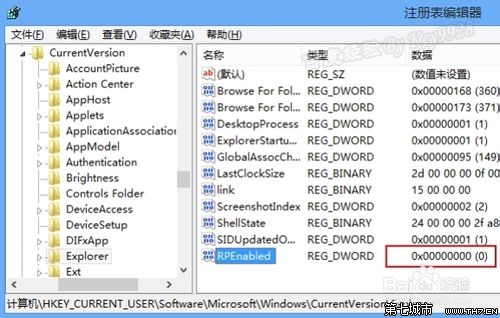
RPEnabled
0
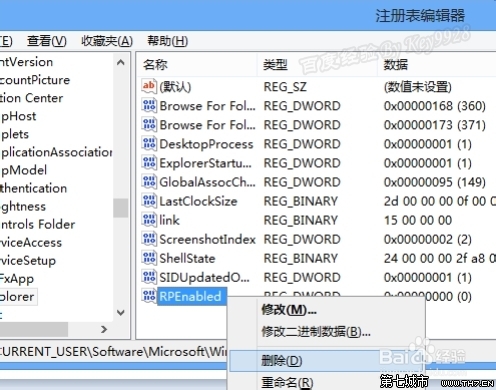
刪除 RPEnabled 這個鍵值並重開機即可恢復預設行為。
Windows 8 無線網路受限/連線受限完整解決方案:停用網卡省電功能
Win8 架設 FTP 伺服器完整教學:使用內建 IIS 管理員建立 FTP 站台
Win8 找回刪除確認對話框:回收站屬性勾選「顯示刪除確認對話方塊」
Windows 8.1 圖片密碼建立完整教學:手勢解鎖取代傳統密碼
Win8 關閉內建小遊戲:Windows 功能中取消勾選「遊戲」項目
解決 Win8.1「安全啟動未正確配置」:群組原則啟用增強啟動配置驗證
Windows 8 右鍵無法查看應用大小?教你用「電腦設定」快速掌握佔用空間
Windows 8 託管網路建立 Wi-Fi 熱點共享上網完整教學