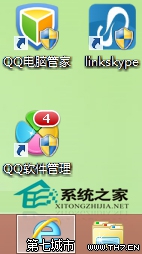
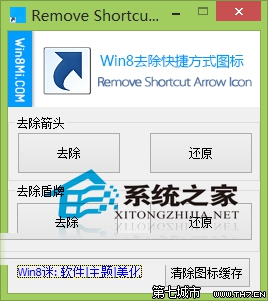
Windows 8 桌面捷徑預設疊加小箭頭與 UAC 盾牌(需管理員權限),影響美觀。使用免費小工具 Remove Shortcut Icon 一鍵移除。
Remove Shortcut Icon
explorer.exe
工具直接修改登錄 HKEY_CLASSES_ROOT\lnkfile 與 piffile 的 IsShortcut 值,安全無毒。部分需重新命名捷徑才能看到效果。想恢復原狀,再次執行工具點擊「恢復」按鈕即可。
HKEY_CLASSES_ROOT\lnkfile
piffile
IsShortcut
Windows 8.1 必做 15 項設定優化:從 SkyDrive 同步修復到開始畫面客製化
Windows 8 進入桌面顯示黑屏無圖示?快速排除與修復指南
Win 8 藍畫面代碼 0x00000050 完整排查指南:從安全模式到 WinDbg 分析
Windows 8 區域網路 Proxy 伺服器設定:IE 網際網路選項連線設定
Windows 8.1 新增關機快捷入口:Win+X 選單終於加入「關機/重啟/睡眠」
Win8 筆記本螢幕花屏原因分析:顯卡、顯存、排線、驅動六大類
Win8.1 設定睡眠喚醒需密碼:保護隱私安全
Windows 8 修改登錄表提升觸控回應速度:Latency 與 SampleTime 調整為 2 毫秒