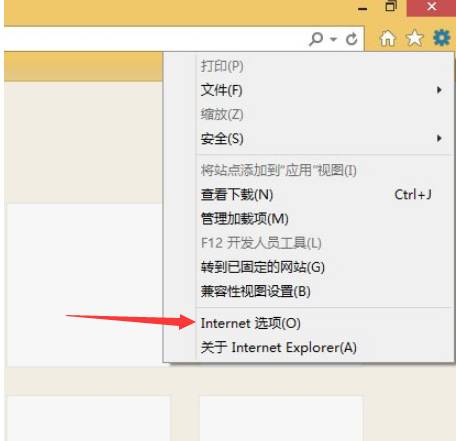
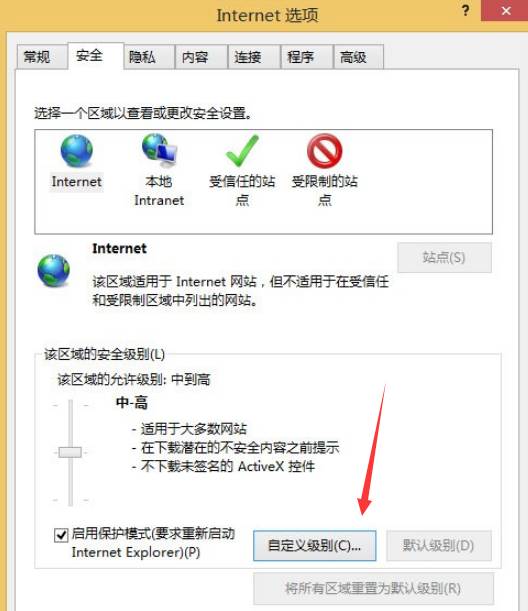
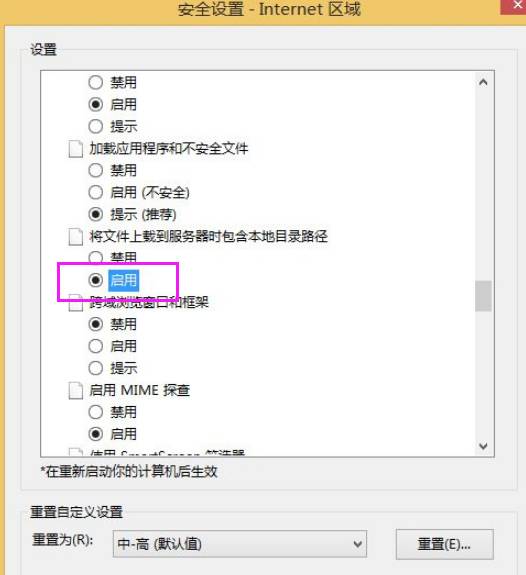
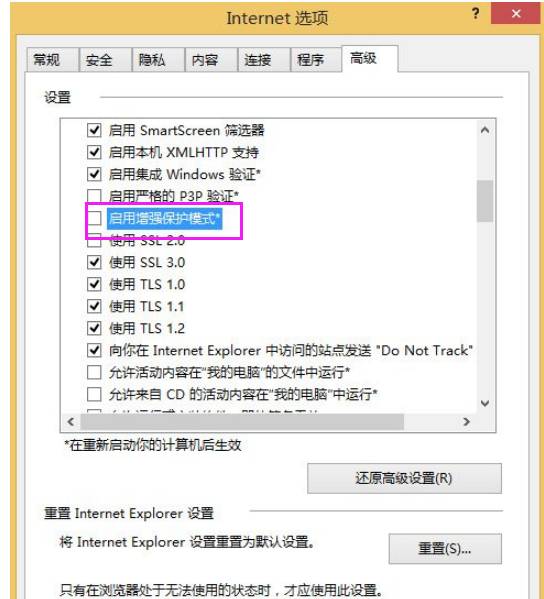
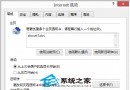
重新開啟 IE11 進入 QQ 空間,上傳相片功能恢復正常。
Windows 8.1 磁碟使用率 100% 解決方案:停用 IPv6 與停止相關服務
Windows 8 安裝教程完整圖解:升級安裝、乾淨安裝、系統需求、磁碟分區、OOBE 設定全流程
Win8.1 滑動關機新玩法:內建 SlideToShutDown.exe 固定工作列/開始畫面一鍵滑動關機
Acer 宏碁筆記本重裝 Win8 三種方法:光碟/USB PE/硬碟安裝器
Win8 磁碟分區三大基本操作:建立、格式化、刪除圖文教學
Win8 圖片密碼設定教學:電腦設定 7 步驟建立自選圖片+三手勢登入,支援觸控與滑鼠
Windows 8 設定系統還原參數:啟用/關閉、調整最大磁碟使用量
Windows 8 無線網路「受限」/「無法連線」解決方案