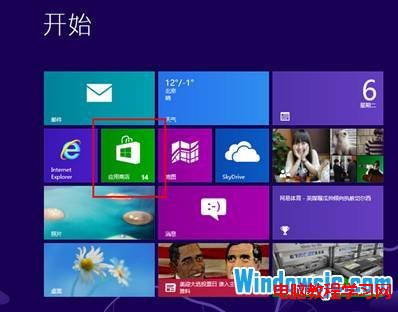
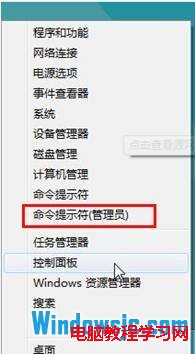
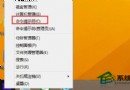
開始畫面找不到「商店」磚,可能被優化工具移除或系統檔案損毀。
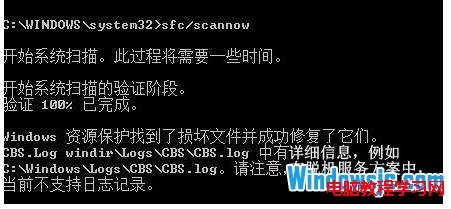
sfc /scannow
掃描完成後重新開機,商店磚通常會自動回到開始畫面。若仍無,可在「所有應用程式」中尋找「商店」右鍵「釘選到開始畫面」。
Windows 8 Metro 介面移動切換磚位置:滑鼠拖曳排列自訂開始畫面
騰訊修復 Windows 8 版 QQ 卡死問題:中文使用者名稱導致 Metro 模式異常,微軟已修補核心 Bug
Win8 檔案歷程記錄:內建備份神器,支援版本還原、排除資料夾、網路備份
Windows 8.1 關閉應用商店自動更新功能操作教學
Windows 8.1 修改 Office 2013 產品金鑰三步驟
Windows 8.1 移除「這台電腦」六大預設資料夾:登錄編輯器刪除 NameSpace 機碼
Windows 8 安全新功能:PatchGuard 核心防護與 64 位元架構深度解析
Windows 8 十三大特色功能全解析:快速啟動、重整重設、Windows To Go、應用商店、Ribbon、Wi-Fi Direct、NFC、ISO/VHD 掛載、雙應用並行、ARM 支援、SkyDrive、Hyper-V、新工作管理員