BIOS 設定步驟
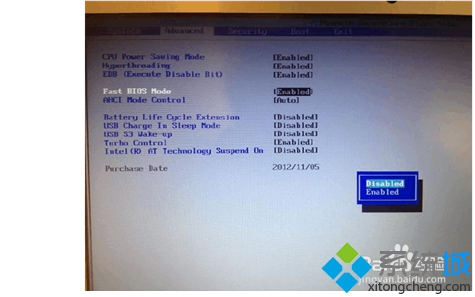
- 開機連按 F2 進入 BIOS → 選「Advanced」→ 將「Fast BIOS Mode」從 Enabled 改為 Disabled → 進入「Boot」頁籤。
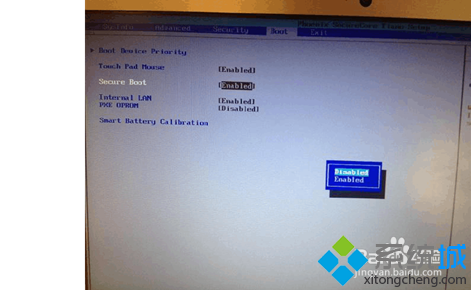
- 選「Secure Boot」將 Enabled 改為 Disabled,此時會出現「OS Mode Selection」選項。
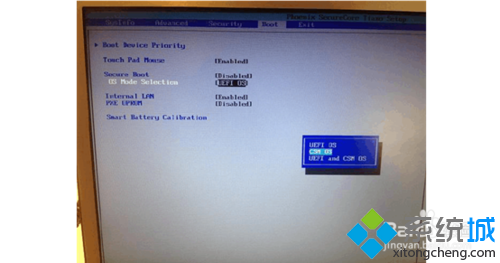
- 將「UEFI OS」改為「CSM OS」→ 按 F10 儲存離開。
- 重開機按 F10 (或 F12) 選擇 USB 隨身碟啟動,即可進入 PE 環境。
- PE 作業完成後,建議再進 BIOS 一次載入預設值,否則可能無法正常開機。
Win8/8.1 預設 UEFI + Secure Boot 會阻擋傳統 PE 開機,必須切換至 CSM (Legacy) 模式才能啟動傳統 PE 隨身碟。