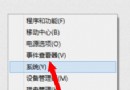
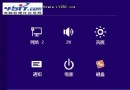
透過群組原則啟用「防止使用者自訂『開始』畫面」,可鎖定開始畫面磚版配置,防止被誤移動、刪除或新增。
gpedit.msc 開啟群組原則編輯器。設定生效後,使用者無法對開始畫面磚版進行任何變更,適合教學、公用、企業環境。
Win8 無法開啟「電腦管理」視窗?關閉 UAC 與確認管理員權限
Win 8 無法使用 Ctrl+Shift 切換輸入法?自訂熱鍵完整解決方案
Windows 8 IE10 Modern 版鍵盤/滑鼠/觸控快捷操作大全:選單喚出、頁面前進後退、縮放、頁內搜尋、網頁搜尋、分享、設定、裝置
Win8 極速開機優化總結:BIOS Fast Boot、4K 對齊、混合啟動、關閉 GUI、精簡啟動項
Win8 首次開機黑畫面硬碟燈不亮?關閉快速啟動即可解決 (僅限此情境)
Windows 8/8.1 磚狀磁貼背景與個人化色彩設定指南