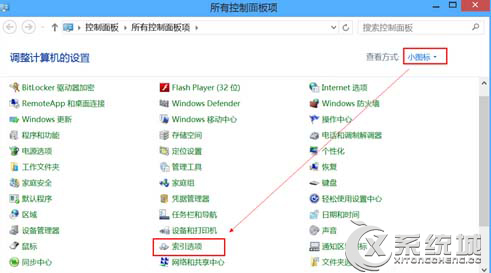
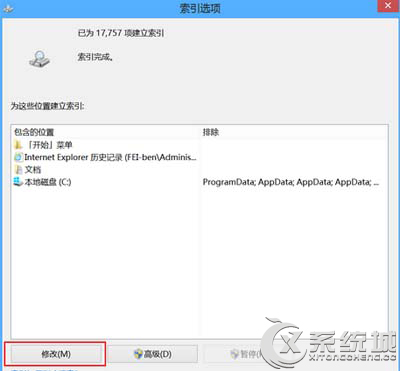
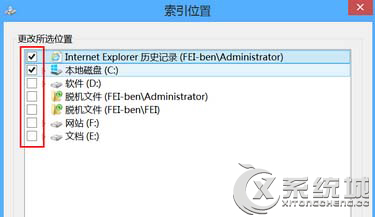
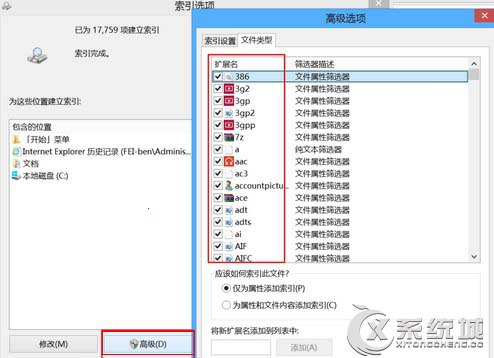
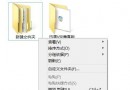
Windows 搜尋索引服務會持續掃描檔案建立索引,雖加快搜尋速度,但會增加硬碟讀寫頻率,對 SSD 壽命有影響。若習慣使用第三方搜尋工具(如 Everything)或較少用搜尋功能,建議關閉索引服務。
關閉後 Windows 搜尋將不再建立索引,搜尋速度會變慢,但硬碟讀寫負載明顯降低。若日後需要恢復,同樣路徑重新勾選欲索引的位置即可。
Windows 8 關閉使用者帳戶控制 (UAC) 通知:控制台 → 動作中心 → 更改 UAC 設定
Windows 8 設定 LAN Proxy 伺服器:IE 網際網路選項完整教學
Win8.1 離線安裝 .NET Framework 3.5 失敗?掛載 ISO 映像檔指定來源路徑
Win8 更新補丁後 Modern 介面卡死?兩套完整修復方案
Win 8 任務管理器「執行新工作」:其實就是經典「執行」對話框的新名稱
Windows 8 設定桌面背景投影片播放(幻燈片)效果
Volume/MAK 授權版 Win8 獲取商店推送升級 Win8.1 且不影響授權:零售金鑰臨時替換法
Win8 關閉遊戲彈出虛擬記憶體不足?手動設定固定值解決