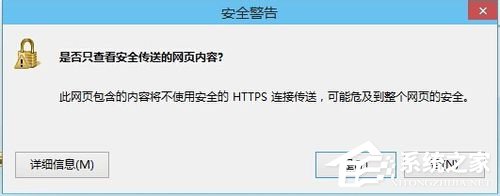
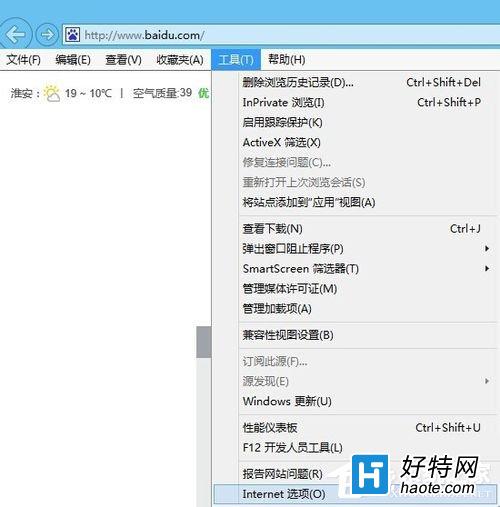
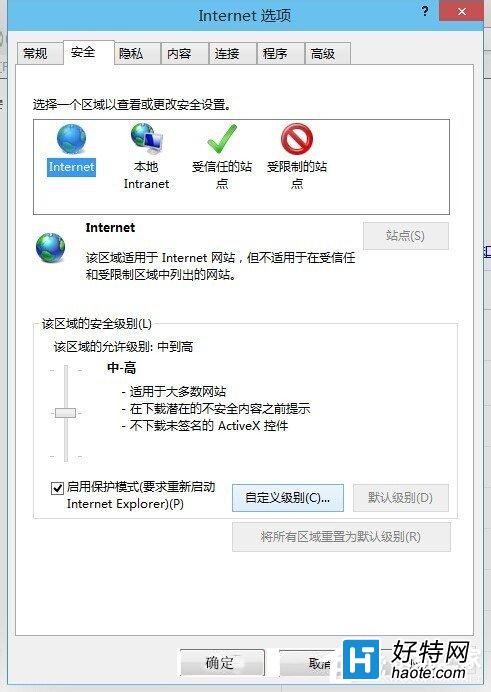
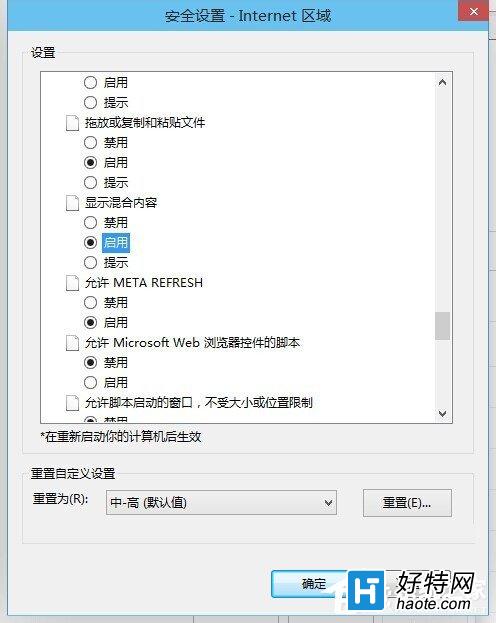
開啟支付寶、網銀等安全網頁時,常彈出「是否只查看安全傳送的網頁內容?」對話框。
解決 Windows 8 無法登入系統教程:Microsoft 帳戶密碼重設與本地帳戶重設磁碟
Windows 8 設定使用者帳戶密碼完整圖文教學
Windows 8 更新失敗?常見原因與解決方案全攻略
Win8 工作列時鐘顯示星期幾:修改短日期格式加入 dddd 即可
Win8 任務列語言列消失怎麼找回?通知區域圖示設定教學
Win8 C 槽空間越來越少?休眠檔、分頁檔、Modern 應用快取深度清理與遷移指南
Win8.1 建立 Microsoft 帳戶失敗錯誤 0x800b0101?校正系統時間與修復 IE Proxy 設定
Windows 8 設定桌面背景自動輪播切換教學