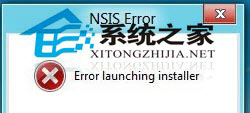
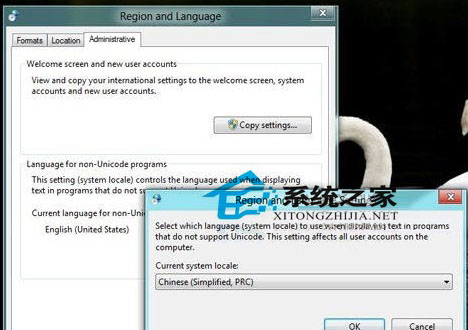
Windows 8 開發者預覽版安裝中文軟體出現亂碼 (如 Maxthon)。解決:控制台 → 區域和語言 →「位置」改為 China、「系統管理」→「非 Unicode 程式的語言」改為 Chinese (Simplified, PRC) → 重新啟動即修復。
China
Chinese (Simplified, PRC)
所有因系統預設語言非中文導致的舊版中文軟體 (非 Unicode 程式) 安裝/執行亂碼問題。
Win8 安全模式與正常模式雙向切換圖解:msconfig 設定法
Win8.1 群組原則設定「應用程式檢視」優先列出傳統桌面應用程式
Windows 8 開啟螢幕鍵盤四大法:開始畫面、輕鬆存取、工作列工具列、執行指令
Windows 8 執行舊版工作管理器:Win+R 輸入 taskmgr 即可呼叫經典介面
Windows 8 系統磁碟 (C槽) 建議大小多少?分區規劃指南
Windows 8 開啟/關閉無線網路與藍牙:飛行模式設定頁
Windows 8 更新後鍵盤失靈解決:關閉「篩選鍵」慢速鍵功能
Win8.1 電源管理設定教學:控制台電源選項 → 平衡/省電/高效能/自訂 四大模式詳細設定