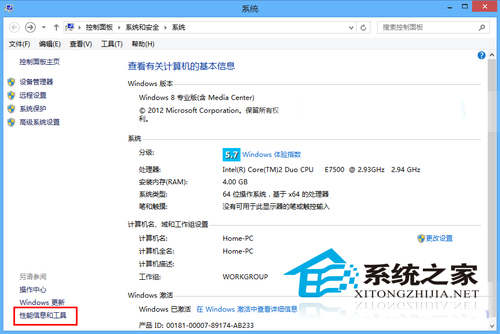
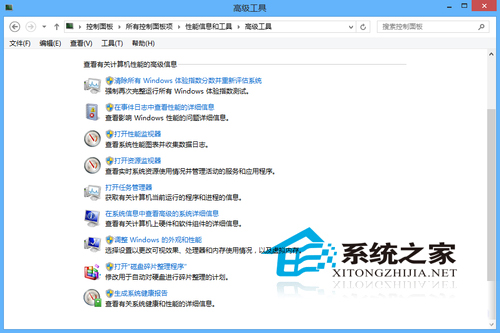
平時關注系統效能健康,勝過事後進安全模式補救。Win8 開啟「效能資訊與工具」:
主動監控硬體效能分數、資源佔用,預防故障於未然。
Win8/8.1 設定簡報/投影模式:Windows 行動中心啟用並自訂設定
Volume/MAK 授權版 Win8 獲取商店推送升級 Win8.1 且不影響授權:零售金鑰臨時替換法
Windows 8 磁碟管理建立新分區:壓縮現有磁碟區釋放未配置空間
Windows 8 關閉鍵盤切換提示音(Shift/NumLock/CapsLock 聲音)
Win8.1 解決錯誤 651:啟用 Remote Access Auto Connection Manager 服務
Windows 8/8.1 查看與刪除無線網路設定檔命令列教學 (netsh wlan 完整指令)
Windows 8 磁碟使用率 100% 完整排解方案
Win8 安裝 iTunes 出現錯誤 2503 怎麼辦?確認架構版本、清理衝突程式重裝